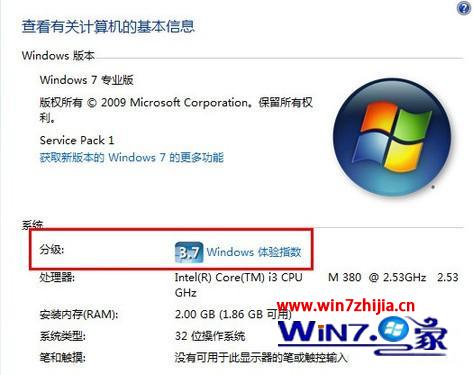
快速了解電腦各項硬體效能等級。
分數反映綜合效能,非單一基準測試分數。
Win7 更新後不再強制重開機:群組原則一鍵禁用自動重新啟動提示
Windows 7 常用執行指令大全:45 個必備指令快速存取系統工具
Windows 7 計算機隱藏功能:化身油耗計算器與單位換算神器
Windows 7 開網頁慢、遊戲卡頓、白畫面?嘗試這些優化步驟或考慮升級硬體
無光碟機如何重裝 Windows 7 系統
Win7 Explorer.exe 應用程式錯誤三大解法:360 修復、IE 重置、CMD 註冊 DLL
Win7 系統越用越慢?十招保持高速:多核心開機、縮短關機等待、刪多餘字體、關視覺特效、關索引服務、關系統音效、縮短預覽延遲、清理啟動項、關 Aero、精簡服務
Win7 關閉「發送錯誤報告」彈出視窗,改為背景靜默上傳 (修改登錄表 DontShowUI)