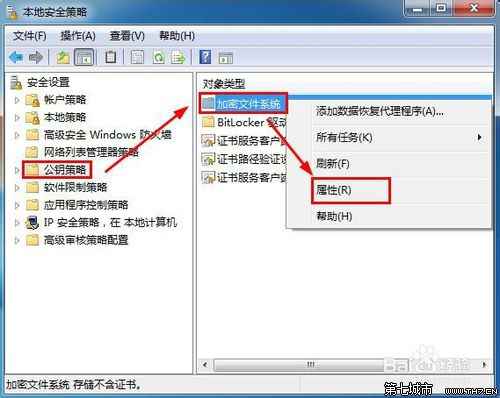
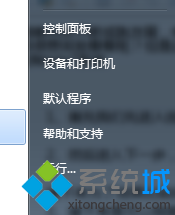
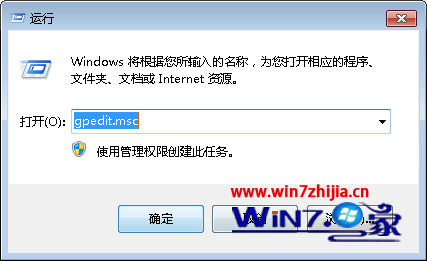
為防止使用者誤用 EFS 加密導致資料無法存取,可透過群組原則禁用加密功能。
secpol.msc
設定後,右鍵檔案/資料夾 → 內容 → 進階 → 勾選「加密內容以保護資料」會提示錯誤,無法加密。
Windows 7 照片批次重命名技巧:秒改海量檔名
Win7 飛信無法啟動?複製 dwmapi.dll 到安裝目錄修復
使用 U 盤輕鬆安裝 Windows 7 完整圖文教學
微軟新概念瀏覽器 Gazelle(瞪羚)下月亮相:作業系統級安全架構
禁止 Windows 7 桌面存放檔案技巧:登錄與 NTFS 權限雙重封鎖
Win7 禁止視窗拖曳至頂端自動最大化(登錄法),保留鍵盤分割畫面功能
Win7 服務啟動失敗錯誤 1068?檢查相依服務啟動 SQL Server Agent 範例教學
Win7 64位 YY 直播麥克風無聲/遊戲聲音無聲?檢查裝置識別、免提模式、勾選直播遊戲聲音