需確認 Win7 旗艦版是否正版、查看啟用狀態、授權類型?執行 slmgr.vbs -dlv 即可呼叫詳細授權資訊視窗,含版本名稱、部分金鑰、啟用 ID、擴充 PID、剩餘重置次數等關鍵資訊。
slmgr.vbs -dlv 按 Enter。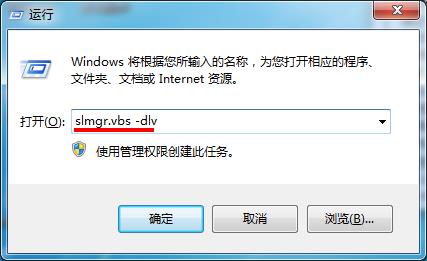
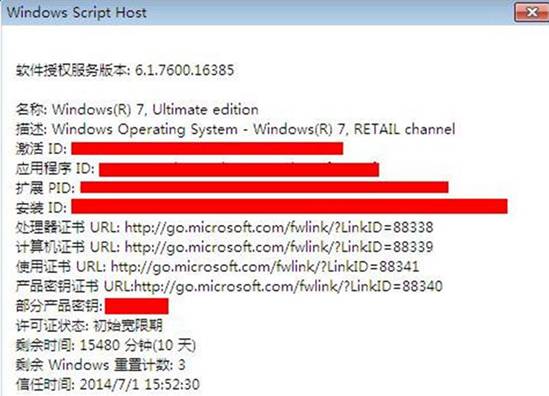
slmgr -rearm 重置次數 (預設 3 次)。slmgr -xpr:顯示永久啟用或到期日。slmgr -dli:簡易授權資訊。slmgr -ato:嘗試線上啟用。Win7 Aero Peek 預覽延遲太久?登錄修改 DesktopLivePreviewHoverTime 加速響應
Win7安裝Flash彈出「憑證驗證失敗」?刪除不受信任發行者即可解決
Win7 搜尋不到 Word/Excel 檔案內容?修改登錄 FilterFilesWithUnknownExtensions 啟用全文檢索
Win7 系統收藏夾網址儲存位置在哪?快速找到 Favorites 資料夾
Win7 旗艦版無法安裝印表機驅動程式?啟動 Print Spooler 服務解決
大學生選作業系統四理由:Win7 遊戲性能、相容性、安全性、主流生態全面領先