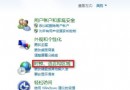
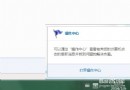
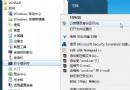
按下光碟機彈出鍵無反應,右鍵「推出」也無效,光碟機卡住無法彈出。
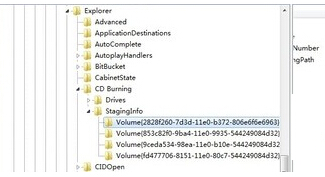
regedit
HKEY_CURRENT_USER\Software\Microsoft\Windows\CurrentVersion\Explorer\CD Burning\StagingInfo\Volume\{...}
StagingPath
C:\Users\帳號\AppData\Local\Microsoft\Windows\Burn\Burn
微軟 CEO 鮑爾默:Win 7 大陸銷售美妙超預期 杭州彩盒賣斷貨
Win7 使用耳麥語音聊天有雜音?完整排除與解決教學
Win7 個性化實用小技巧 20 選:工作列熱鍵、拖曳排序、Ribbon 介面、問題步驟記錄器、多時區時鐘、管理員快速啟動、行動中心、UAC 滑桿、功能開關、InPrivate 瀏覽/過濾、家庭群組、可靠度監視器、系統診斷報告、家長控制、Live Essentials、PowerShell v2
IE11 for Win7 正式版安裝與解除安裝完整圖文指南
Windows 7 非均勻記憶體存取 (NUMA) 技術:突破 64 邏輯處理器極限
Windows 10 任務列透明度增強:註冊表啟用 UseOLEDTaskbarTransparency
Win7 系統崩潰後使用 USB 修復系統三大方法
Win7 安裝 Office 2010 出現錯誤 1719 解決辦法(重複條目)