桌面圖示全變成 .lnk 檔案,為檔案關聯錯誤與圖示快取損壞所致,雙管齊下修復。
regedit。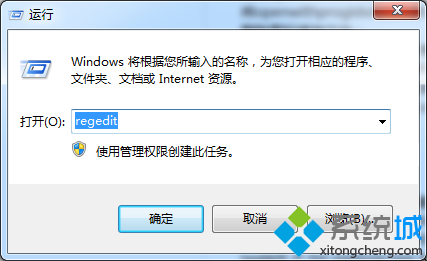
HKEY_CURRENT_USER\Software\Microsoft\Windows\CurrentVersion\Explorer\FileExts\.lnk,刪除 OpenWithList、OpenWithProgids 下除預設值外的所有鍵值。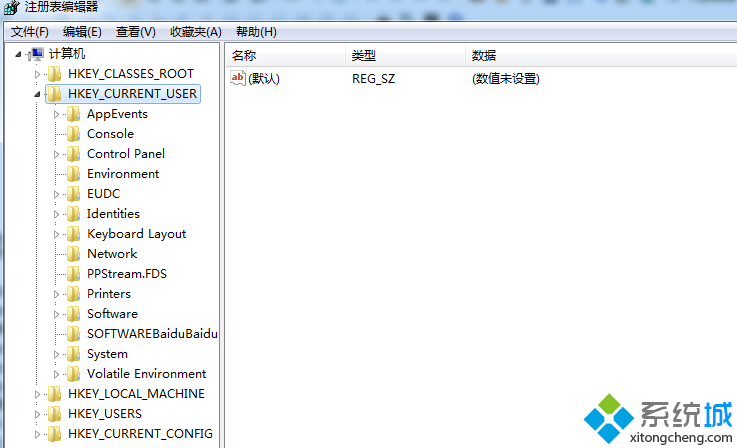
IconCache.db (通常在 C:\Users\<用戶名>\AppData\Local),重開機重建圖示快取。@echo off title Win7 桌面圖示快取重建 reg delete "hkcu\Software\Microsoft\Windows\CurrentVersion\Explorer\Shell Icons" /f reg delete "hklm\SOFTWARE\Microsoft\Windows\CurrentVersion\Explorer\Shell Icons" /f taskkill /f /im explorer.exe & start explorer.exe