Windows XP Windows 7 Windows 2003 Windows Vista Windows 綜合教學 Linux 系統教學
Windows 10 Windows 8 Windows 2008 Windows NT Windows Server 電腦軟體教學

Win7 純淨版利用登錄表釋放未使用 DLL:AlwaysUnloadDll=1 節省系統資源

編輯:Windows 7 系統介紹

啟用登錄表 AlwaysUnloadDll 強制系統卸載不再使用的 DLL,釋放記憶體資源,改善長時間運行後的效能下降。

設定步驟

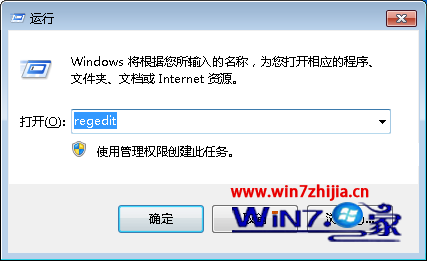
  1. Win+R → regedit → 定位:
HKEY_LOCAL_MACHINE\SOFTWARE\Microsoft\Windows\CurrentVersion\Explorer
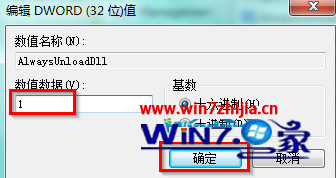
  1. 右側找 AlwaysUnloadDll (不存在則新增 DWORD) → 雙擊修改值為 1 (預設 0) → 確定。
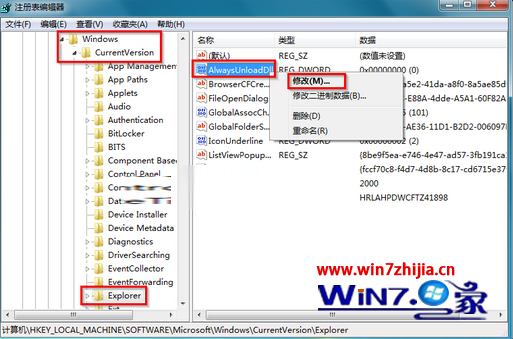
登錄表 Explorer AlwaysUnloadDll 修改 設定為 1
  1. 重新開機生效。
此設定可能導致部分舊版程式 (依賴 DLL 常駐) 運行異常。若出現相容性問題,將值改回 0 或刪除該鍵值即可恢復。

Copyright © Windows教程網 All Rights Reserved