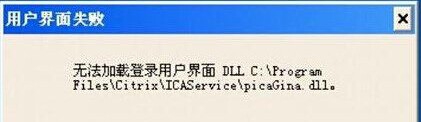
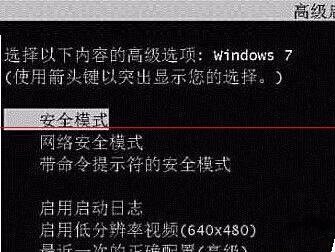
Win7 開機出現「使用者介面失敗,無法載入某個 DLL 檔案」導致無法登入,多因登錄表 GinaDll 鍵值指向不存在的檔案。進入安全模式刪除該值即可修復。
GinaDll
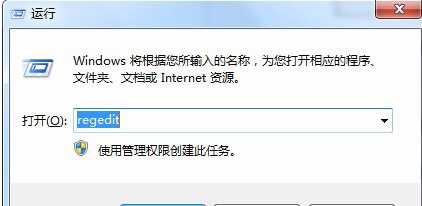
regedit
HKEY_LOCAL_MACHINE\SOFTWARE\Microsoft\Windows NT\CurrentVersion\Winlogon
若仍無法解決,建議使用系統還原或重裝系統。操作前請備份重要資料。
Win7 設定多螢幕模式:複製與擴展顯示完整教學
Windows 7 媒體中心:打造居家影音娛樂中樞,免費看高清影視新聞
Win7 任務列通知區找不到電源/電池圖示?群組原則啟用法
Windows 7 無線網路設定完整指南:從硬體準備到連線步驟一站式教學
聯想筆電 Win7 如何開啟藍牙?外部開關 + Fn+F5 雙重確認
Win7 全螢幕遊戲黑邊/無法全螢幕?登錄檔修改 Scaling 值或 NVIDIA 控制面板一鍵修復
Windows 7 關閉視窗貼邊自動排列:解決 QQ 主面板自動隱藏衝突
Win7 64 位元提升 IE 瀏覽器開啟速度:取消「自動偵測設定」