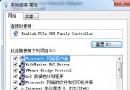
筆電關機卻自動重新開機,多半是 BIOS 中「網路喚醒」或「來電自動開機」功能啟用所致。
1. 重新開機進入 BIOS 設定(通常按 F2、Del 或 F10)。
2. 檢查 Power Management → Automatic Power On → Wake Up On LAN,若非 Disabled 請改為 Disabled。
3. 檢查 Power Management → After Power Loss,若非 Power Off 請改為 Power Off(關機後不自動開機)。
儲存離開 BIOS(通常按 F10),筆電關機後將不再自動開機。