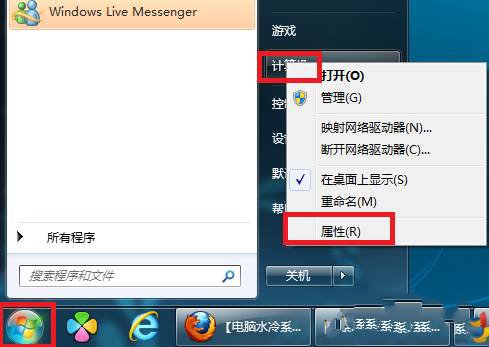
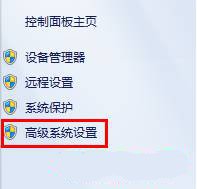
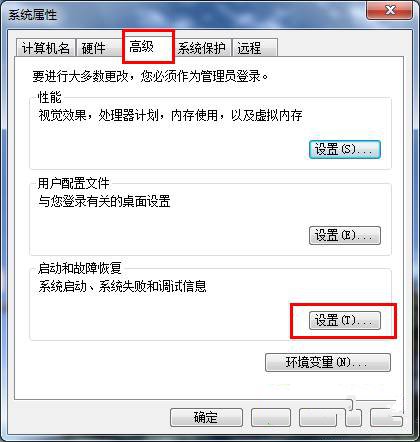
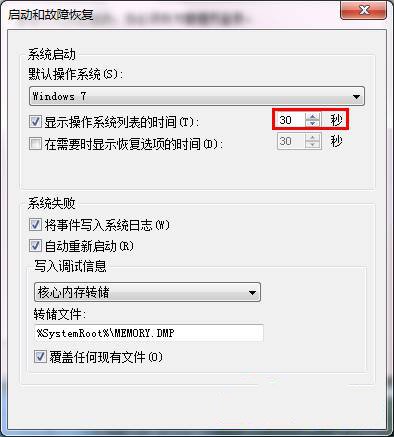
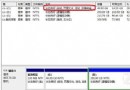
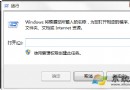
Win7 多重開機預設等待 30 秒,可依個人習慣調整:
設定即時生效,下次重開機即可見到新倒數秒數。
Windows 7 批次重命名照片:一鍵加上旅遊地點與流水號
Win7 系統安裝與調校 6 大關鍵注意事項
Win7 圖片縮圖無法正常顯示?磁碟清理刪除縮圖快取重建解決
Windows 7 必會的 15 個高效率快速鍵完整圖表
用戶回報 Vista 升級 Windows 7 陷入無限重開機循環
Win7 防火牆封鎖特定連接埠:防止他人存取本機端口完整教學
Windows 7 將硬碟模式從 ATA/IDE 改為 AHCI:註冊表預啟動 + BIOS 切換雙保險
Win 7 如何查看電腦開機關機歷史記錄?事件檢視器一招搞定