此錯誤為系統 DLL 註冊異常所致,同樣適用批次重新註冊 system32 目錄下所有 DLL 的方法修復。
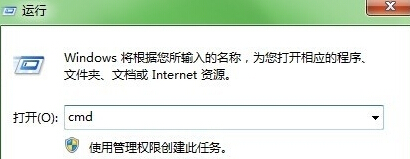
1. 按 Win + R 輸入 cmd 開啟命令提示字元。
cmd
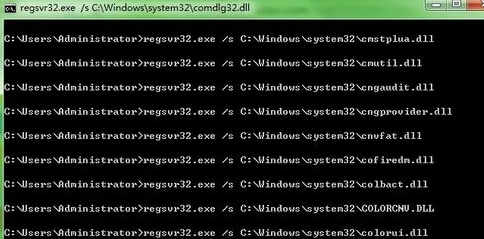
2. 執行指令:for %1 in (%windir%\system32\*.dll) do regsvr32.exe /s %1
for %1 in (%windir%\system32\*.dll) do regsvr32.exe /s %1
3. 等待完成後重新開機。若仍無法解決,請重新安裝 Windows Media Player 10 或 11。
破解網卡 (卡皇/卡王) Win 7 下無法使用?安裝晶片對應驅動 (RTL8187 為例) 解決
安裝後外放與耳機同時出聲?Realtek 音訊控制台「裝置進階設定」勾選分離
Win7 寬帶撥號錯誤 561?三大原因排查與 WMI 日誌權限修復法
Win7 資源管理器選單列無法隱藏?群組原則強制關閉「永遠顯示選單列」
Win7 旗艦版取消資料夾共用設定
善用 Windows 7 家長控制:限制上網時間、遊戲與程式,守護孩子網路安全
Windows 7 快速關閉無回應程式:建立一鍵強制結束捷徑
華碩筆電 Win7 修改 AHCI 硬碟模式:BIOS 設定 SATA Configuration 切換