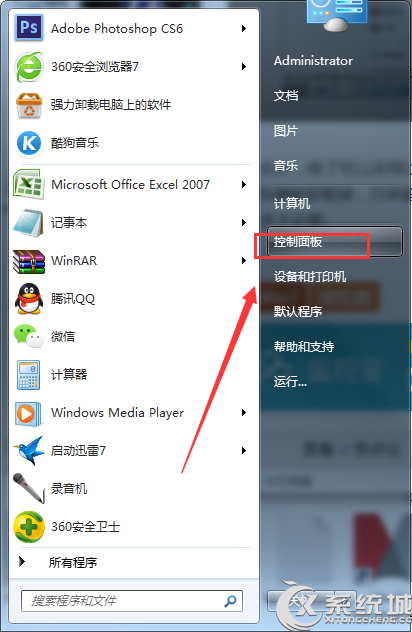
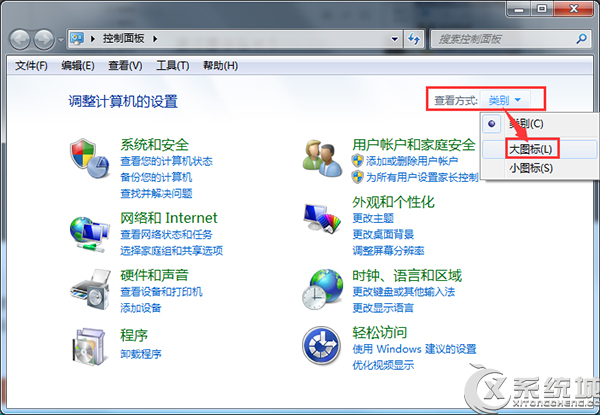
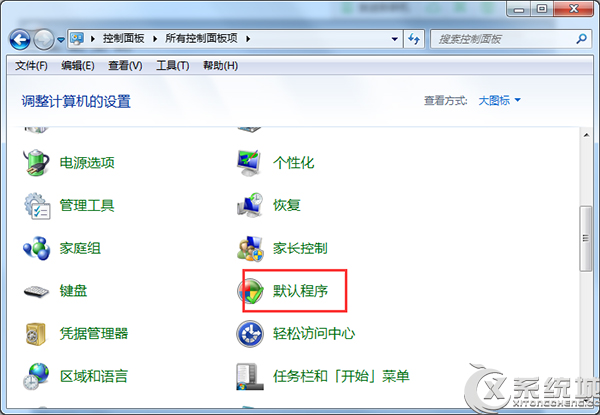
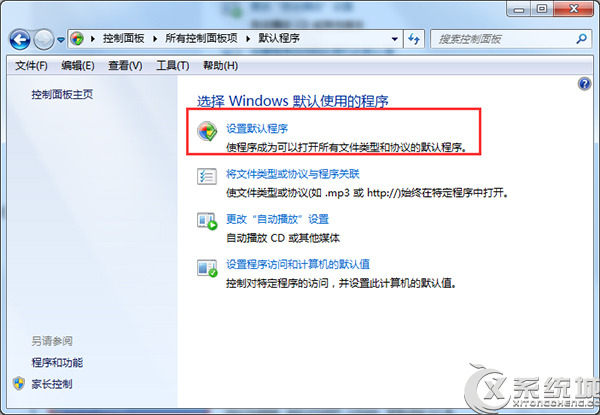
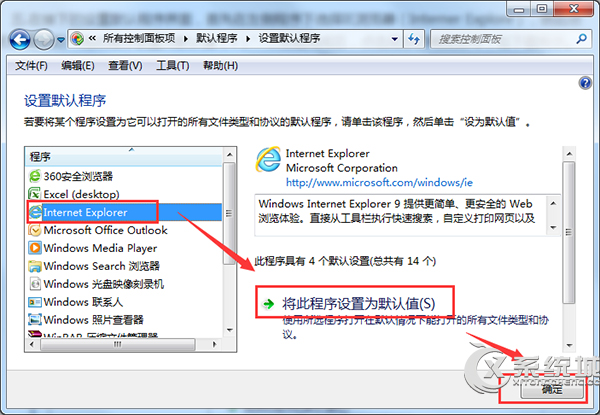
將 IE 設為預設瀏覽器步驟:
設定後點擊網頁連結將自動用 IE 開啟。
Win7 無法休眠完整解決:驅動更新 + 電源管理 + powercfg 指令三管齊下
Win7 放大鏡不只放大:多種模式與快捷鍵大全
Win7 內建磁碟碎片整理排程自動化設定
Win7 遠端桌面提示「您的認證無法運作」?輸入格式:電腦名稱\使用者名稱
Win7 待機時間設定?電源選項自訂關閉螢幕與睡眠時間
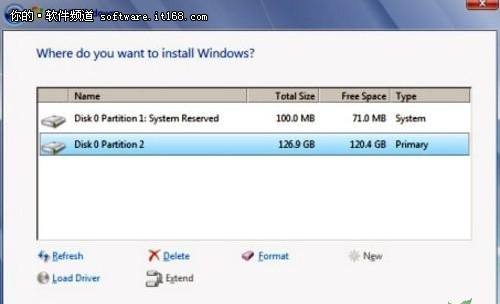
網卡開機安裝 Windows 7:WDS 服務部署與 PXE 啟動完整流程
Win7 任務列右鍵選單變了?Shift+右鍵喚回傳統「移動/最大化/最小化/關閉」選單
Win7 修改登錄檔 WaitToKillAppTimeout 解決「程式未回應」頻繁彈出