光碟機無法讀取/燒錄光碟,修復登錄表暫存路徑:
regeditHKEY_CURRENT_USER\Software\Microsoft\Windows\CurrentVersion\Explorer\CD Burning\StagingInfo\Volume\{...806e6f6e6963}StagingPath 修改為任意有效路徑(預設 C:\Users\用戶名\AppData\Local\Microsoft\Windows\Burn\Burn)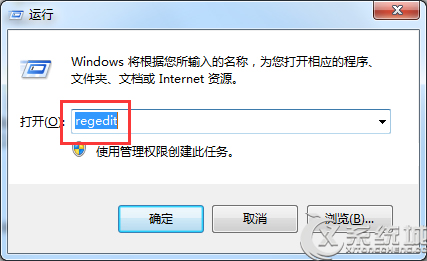
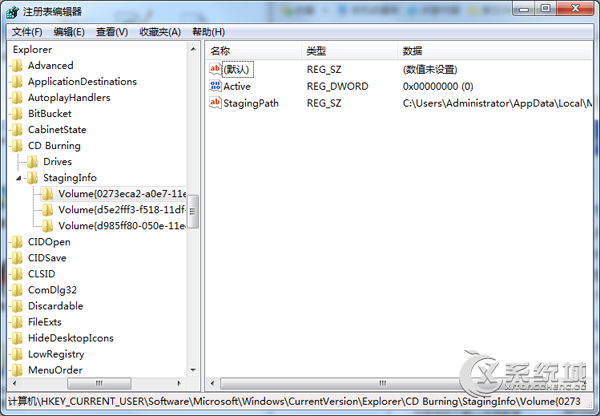
路徑無效或資料夾遺失會導致燒錄功能異常,指定有效路徑即可修復。
Windows 7 顯卡需求:DirectX 9 + WDDM 1.0、入門版放寬限制、建議 256MB 以上顯存流暢體驗 Aero 與遊戲
Win7 筆電開啟 Wi-Fi 熱點:命令列建立託管網路、ICS 共用上網、防火牆服務排錯
Win7 安裝軟體提示「無法存取 Windows Installer 服務」?刪除 SQMClient 登錄鍵值重開機修復
.exe 可執行檔無法開啟?四大修復方案:注冊表修復關聯、ftype/assoc 指令、資料夾選項重建關聯
Win7 磁碟配額打造「自動還原卡」效果:限制非管理員寫入防範木馬植入
Win7 如何取消更新/安裝驅動後的重開機提示?群組原則教學