升級 Win10 後修改 C 槽磁碟標籤(卷標)提示「無效」,滑鼠右鍵重新命名失效。解決方法:以管理員身分開啟命令提示字元,使用 label 指令清除舊標籤後重設。
1. Win + X → 「命令提示字元 (系統管理員)」(Win10/8.1)或開始搜尋 cmd 右鍵「以系統管理員身分執行」(Win7)。
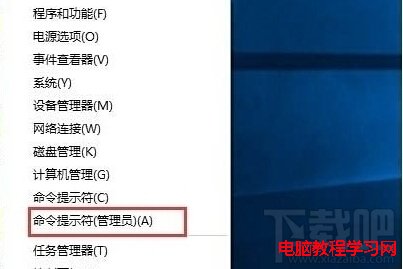
2. 輸入:label C:
按 Enter。
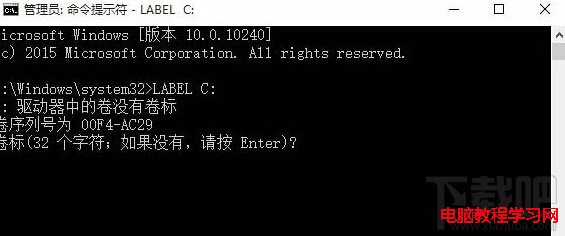
3. 顯示目前卷標資訊,提示「卷標 (32 個字元; 如果沒有,請按 Enter)」→ 直接按 Enter 清除舊標籤。
4. 詢問「是否刪除目前的卷標? (Y/N)」→ 按 Y → Enter,清除完成。
5. 再次嘗試滑鼠右鍵重新命名或再執行 label C: 新標籤名 直接設定新卷標。
適用範圍:Win10/Win8.1/Win7 通用,亦適用於其他磁碟機(D:、E: 等)遇到同樣問題時。