Windows XP 開機後桌面空無圖示、工作列消失,主因是 Explorer.exe(殼程式)未正常啟動。透過工作管理器手動啟動並寫入註冊表自動啟動鍵值即可永久修復。
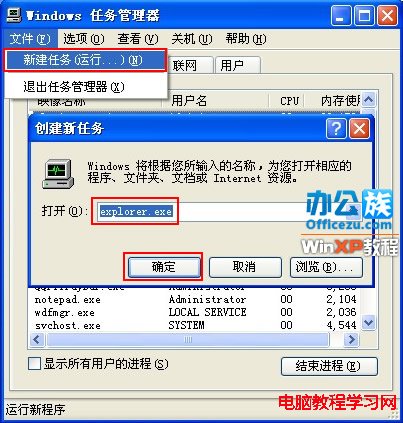
1. Ctrl + Alt + Del 開啟工作管理器,「檔案」→「新增工作」。

2. 輸入 Explorer.exe,確定。桌面圖示與工作列即刻出現。

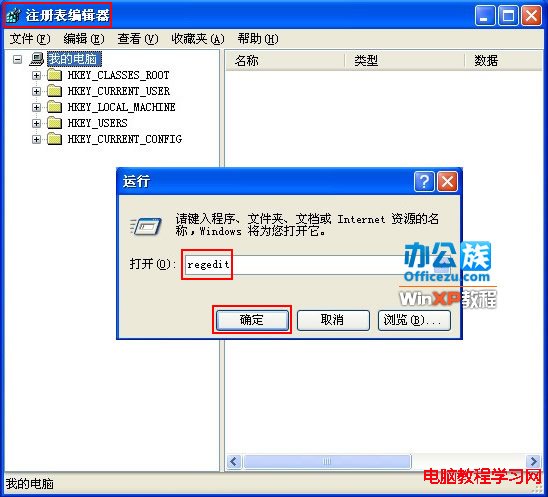
1. Win + R 輸入 regedit 開啟登錄編輯器。
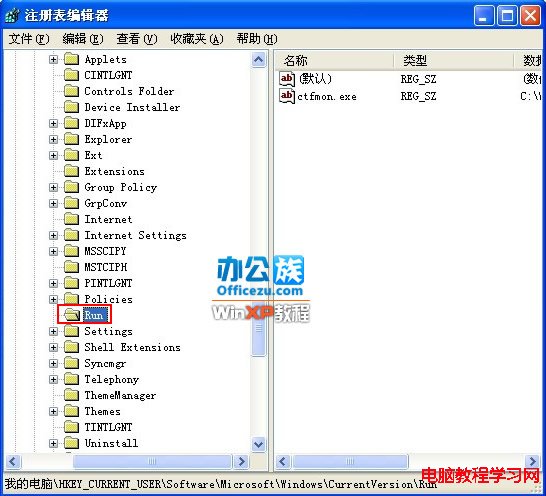
2. 瀏覽至:HKEY_CURRENT_USER\Software\Microsoft\Windows\CurrentVersion\Run

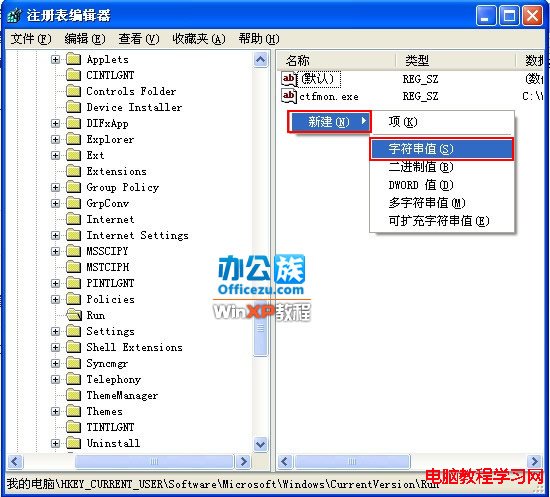
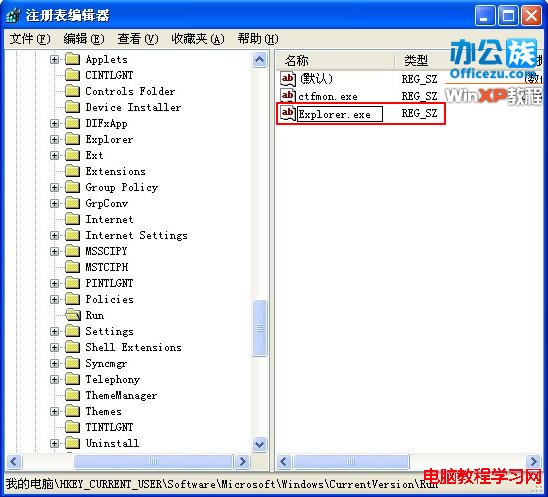
3. 右鍵空白處 → 「新增」 → 「字串值」,名稱改為 Explorer.exe。

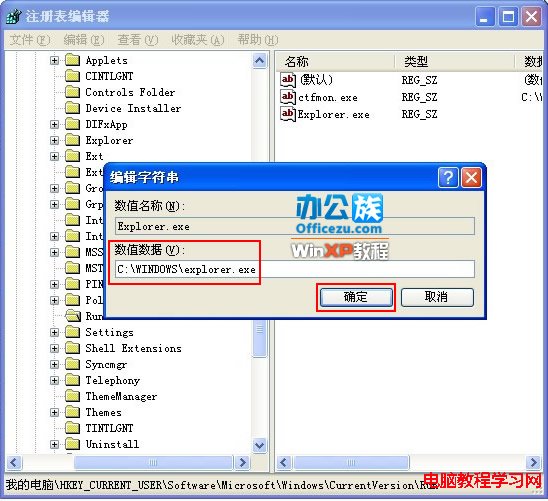
4. 雙擊該值,數值資料填入 C:\WINDOWS\explorer.exe,確定。

5. 重新開機驗證,桌面將自動正常載入。
延伸:若問題頻繁發生,建議掃毒、檢查啟動項、修復系統檔案(
sfc /scannow),或考慮升級至支援中的作業系統(XP 已停止更新,存在安全風險)。