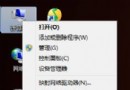
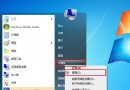
Vista 起 Windows 預設不在桌面顯示 IE 圖示。拖曳快捷方式會有小箭頭,強迫症無法接受。透過匯入登錄檔,可建立無捷徑箭頭的原生 IE 圖示,右鍵選單含「無附加元件開啟」、「開啟首頁」、「內容」等原生功能。
Windows Registry Editor Version 5.00

[HKEY_LOCAL_MACHINE\SOFTWARE\Microsoft\Windows\CurrentVersion\Explorer\Desktop\NameSpace\{871C5380-42A0-1069-A2EA-08002B30309D}]
@="Internet Explorer"

[HKEY_CLASSES_ROOT\CLSID\{871C5380-42A0-1069-A2EA-08002B30309D}]
@="Internet Explorer"

[HKEY_CLASSES_ROOT\CLSID\{871C5380-42A0-1069-A2EA-08002B30309D}\DefaultIcon]
@="C:\\Windows\\System32\\ieframe.dll,-190"

[HKEY_CLASSES_ROOT\CLSID\{871C5380-42A0-1069-A2EA-08002B30309D}\shell]
@=""

[HKEY_CLASSES_ROOT\CLSID\{871C5380-42A0-1069-A2EA-08002B30309D}\shell\NoAddOns]
@="無附加元件開啟(&N)"

[HKEY_CLASSES_ROOT\CLSID\{871C5380-42A0-1069-A2EA-08002B30309D}\shell\NoAddOns\Command]
@="\"C:\\Program Files\\Internet Explorer\\iexplore.exe\" -extoff"

[HKEY_CLASSES_ROOT\CLSID\{871C5380-42A0-1069-A2EA-08002B30309D}\shell\Open]
@="開啟首頁(&H)"

[HKEY_CLASSES_ROOT\CLSID\{871C5380-42A0-1069-A2EA-08002B30309D}\shell\Open\Command]
@="\"C:\\Program Files\\Internet Explorer\\iexplore.exe\""

[HKEY_CLASSES_ROOT\CLSID\{871C5380-42A0-1069-A2EA-08002B30309D}\shell\Set]
@="內容(&R)"

[HKEY_CLASSES_ROOT\CLSID\{871C5380-42A0-1069-A2EA-08002B30309D}\shell\Set\Command]
@="\"C:\\Windows\\System32\\rundll32.exe\" C:\\Windows\\System32\\shell32.dll,Control_RunDLL C:\\Windows\\System32\\inetcpl.cpl"
IE8_Desktop_Icon.reg(編碼選 ANSI/UTF-8 均可)。註冊 CLSID\{871C5380-42A0-1069-A2EA-08002B30309D} 為桌面命名空間物件,系統視為特殊系統圖示而非捷徑,故無箭頭、擁有完整右鍵選單。
Program Files,32 位程式在 Program Files (x86),登錄以實際路徑為準)。一個 .reg 檔,徹底解決桌面缺 IE 圖示、捷徑箭頭難看、右鍵選單殘缺三大痛點,完美主義者必備。