Windows XP Windows 7 Windows 2003 Windows Vista Windows 綜合教學 Linux 系統教學
Windows 10 Windows 8 Windows 2008 Windows NT Windows Server 電腦軟體教學

Windows 7 附件快捷方式遺失?指令喚醒與資料夾複製雙重修復法

編輯:Windows 7 系統介紹

計算機、畫圖不見了?兩招找回

Win7 「附件」群組中的計算機、畫圖、記事本等快捷方式若因誤操作消失,試試:

方法一:指令直達

「開始」搜尋列輸入指令即時啟動:
calc (計算機)、mspaint (畫圖)、wordpad (寫字板)、notepad (記事本)、stikynot (便籤)、snippingtool (截圖工具)。

方法二:複製完整資料夾覆蓋

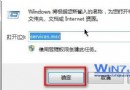
有另一台正常 Win7 電腦時,於檔案總管網址列輸入:
%systemdrive%\ProgramData\Microsoft\Windows\Start Menu\Programs
複製該機「附件」資料夾覆蓋本機損毀資料夾,重開「開始」選單即全數恢復。

Copyright © Windows教程網 All Rights Reserved