Windows XP Windows 7 Windows 2003 Windows Vista Windows 綜合教學 Linux 系統教學
Windows 10 Windows 8 Windows 2008 Windows NT Windows Server 電腦軟體教學

Win7 修改 hosts 檔案「拒絕存取」?三步複製法繞過權限限制

編輯:Windows 7 系統介紹

Win7/UAC 啟用時,直接編輯 C:\Windows\System32\drivers\etc\hosts 會提示「沒有權限」。最簡單的解法是「複製出來改、再複製回去覆蓋」,無需調整權限或關閉 UAC。

三步驟操作法

  1. 開啟資料夾 C:\Windows\System32\drivers\etc,將 hosts 檔案 複製 到桌面或其他非系統資料夾。
  2. 用記事本開啟桌面上的 hosts,修改內容並儲存(此時無權限阻擋)。
  3. 將修改後的 hosts 複製回原資料夾覆蓋,按「繼續」提供管理員權限即可完成取代。

原理說明

UAC 阻擋的是「直接在受保護資料夾寫入」的行為。複製到用戶資料夾編輯屬於用戶權限範圍,複製回去時系統僅需一次管理員確認,即可完成系統檔案更新,比修改檔案權限、關閉 UAC 都更安全快速。

進階替代方案

  • 以管理員身分執行記事本(右鍵記事本 → 「以系統管理員身分執行」),再用「開啟舊檔」編輯 hosts。
  • 建立批次檔 edit_hosts.bat 內容:
    notepad %windir%\System32\drivers\etc\hosts

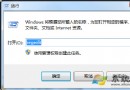
    右鍵批次檔 → 「以系統管理員身分執行」。
Copyright © Windows教程網 All Rights Reserved