日常使用電腦時,常遇到「無法刪除」提示,重開機也無效。這通常是因為檔案被系統或程式佔用。小工具 Unlocker 可輕鬆解除鎖定並刪除頑固檔案。
操作步驟
- 搜尋下載 Unlocker 綠色版(免安裝、體積小、穩定)。
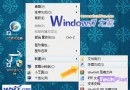
- 解壓縮後執行安裝,安裝完成後右鍵選單會出現「Unlocker」選項。
- 對著無法刪除的檔案/資料夾右鍵 → 選擇「Unlocker」。
- 彈出視窗左下角下拉選單選擇「刪除」,點擊「確定」。
- 檔案即刻消失,問題解決。
Unlocker 功能強大,從未遇到無法處理的情況,是解決檔案刪除難題的利器。