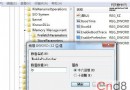
Windows 7 檔案總管左側導覽窗格中,「收藏夾」無法展開箭頭,點擊卻能正常進入資料夾,且資料未遺失。右鍵選單的「還原收藏夾連結」也無效。這通常是因為 登錄表 lnkfile 類別缺少 IsShortcut 字串值 導致。
regedit → 右鍵「以系統管理員身分執行」。HKEY_CLASSES_ROOT\lnkfileexplorer.exe 即可生效。IsShortcut 字串值是 Windows 識別「捷徑」類型的關鍵標記。缺失時,檔案總管無法正確解析收藏夾中的捷徑結構,導致展開功能失效。此修復同樣適用於「桌面捷徑圖示箭頭消失」等相關問題。
不想手動編輯登錄表?可建立 fix_favorites.reg 檔案,內容如下:
Windows Registry Editor Version 5.00

[HKEY_CLASSES_ROOT\lnkfile]
"IsShortcut"=""
雙擊匯入後重開機即可。