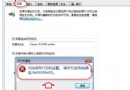
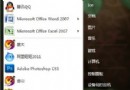
操作:按住 Shift 右鍵任務列資源管理器圖示 → 「內容」 → 目標欄將 %windir%\explorer.exe 改為:
%windir%\explorer.exe
%SystemRoot%\explorer.exe /e, ::{20D04FE0-3AEA-1069-A2D8-08002B30309D}
確定後點擊即開啟「我的電腦」 (電腦總覽)。配合圖示操作。
清除註冊表中的 Windows 7/Vista 產品金鑰,防止洩露
Windows 7 / Vista 關機與重啟快捷鍵全攻略:系統內建與自訂雙管齊下
Windows 7 無線網路設定完整指南:從硬體準備到連線步驟一站式教學
Win7 開機加速設定:啟用多核心啟動與精簡啟動項目
Windows 隱藏帳戶克隆技術原理與防範全解析
Windows 7 快速關閉程式視窗的隱藏技巧:滑鼠中鍵點擊預覽縮圖即可
Win7 找回消失的「立體聲混音」 錄音、直播雙聲道同步輸出
Win7 開機報錯 NTLDR is missing?三步修復啟動引導與硬碟模式