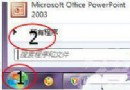
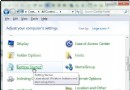
實測成功,無需複雜 PE 環境:
X32SETUP、X64SETUP)。D:\X32Setup\setup /installfrom:D:\X64Setup\sources\install.wim關鍵參數 /installfrom 指定 64 位元 install.wim,讓 32 位元安裝程式部署 64 位元系統,極度簡化跨架構安裝。
Win7 刪除桌面「我的 Bluetooth 位置」圖示教學
Windows 7 字型安裝捷徑模式:節省磁碟空間的進階技巧
Win7 放大鏡使用教學:Win+加號啟動、全螢幕/鏡頭/停駐模式切換、快捷鍵完整表 (縮放/反色/追蹤焦點)
Win7 32 位元 vs 64 位元完整比較:設計初衷、硬體需求、運算速度、記憶體上限、軟體生態
Win7 查看開機啟動項完整指南:msconfig、360衛士與各品牌筆記本快速開機鍵大全
MinWin 核心解析:Windows 7 中獨立運行的微型系統核心(25MB 磁碟、40MB 記憶體)
一周新品獵奇:iPad 月付 30 元跑滿速 Win7 (OnLive Desktop Plus)、iPad 3 視網膜螢幕曝光