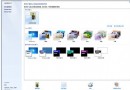
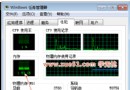
不再需要的使用者帳戶可透過內建工具刪除,同時選擇保留該帳戶的文件與設定。
操作步驟
適用情境
此法兼顧帳戶清理與資料保全,操作直觀無需第三方工具。
避開 Win7 安裝隱藏分區陷阱,用 Diskpart 手動分區保護啟動檔案
Windows 7 70 個實用技巧大全(前 15 項)
Win7 開始選單找不到「所有程式」?群組原則恢復顯示
Win7 桌面變黑、右下角提示「非正版」?兩種情境緊急修復指南
Win7 關閉自動安裝驅動程式:群組原則禁止未經核准裝置安裝
使用極易一鍵重裝系統軟體重裝 Windows 7 旗艦版完整教學
Windows 7 加快工作列縮圖預覽切換速度:修改登錄檔減少延遲
Windows 7 C 槽分區多大才夠?從安裝需求到長期使用的空間規劃建議