不想看捷徑左下角小箭頭?修改登錄表即可隱藏:
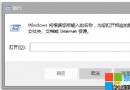
regedit
HKEY_CLASSES_ROOT\lnkfile
IsShortcut
HKEY_CLASSES_ROOT\piffile
explorer.exe
原理:IsShortcut 存在時系統在圖示疊加小箭頭,刪除該值即移除疊加。
補充:若想恢復,重新建立同名字串值即可。
Windows 7 安裝字型完整指南:捷徑安裝法節省系統碟空間
Windows 7 桌面背景自動輪播設定教程:幻燈片模式、時間間隔與 RSS 動態主題
筆電 Win7 無法關機?電源管理與關機音效兩大故障點排查
Win7 自啟動程式深度清查七大機制:啟動資料夾/Run/RunOnce/Load/Userinit/ExplorerRun/RunServicesOnce
Windows 7 無法加入家庭群組:電腦名稱衝突、網路位置、共用設定完整排查
Win7 內建 ISO 燒錄工具:無需第三方軟體,雙擊 ISO 即可燒錄光碟/驗證資料
Windows 7 下安裝使用惠普 P1008 激光印表機
如何修改 Win7 系統預設軟體安裝路徑(圖文教學)