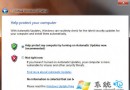
Win7 光碟機無法識別/開啟光碟(雙擊提示「請插入光碟」),多因「Shell Hardware Detection」服務導致:啟用時僅能自動播放/執行,無法瀏覽目錄。解決法:
services.msc
特別對自燒光碟效果顯著。停用後自動播放功能失效,但可換來正常讀取瀏覽,利大於弊。
Windows 8 跨界之路迷霧重重:x86/ARM 雙架構難兼容、Metro UI 桌面端尷尬、升級動力不足
Win7筆記本觸控板關閉全攻略:快捷鍵、控制台與裝置管理員三法
Windows 7 關閉影片檔預覽:釋放系統資源的折衷方案
筆電 Win7 設定雙網卡同時上網 接口躍點數設定教學
Win7 螢幕保護程式設定圖文教學:旗艦版 vs 家用版路徑差異全解析
ThinkPad X60 實裝 Windows 7 M3 體驗:全硬體免驅動、Aero 全開、記憶體佔用 700MB+
Win7 玩 LOL 崩潰彈出 error report?三大解法:純淨模式/移除外掛、更新顯卡驅動、相容模式執行
禁止 Windows 7 桌面存放檔案技巧:登錄與 NTFS 權限雙重封鎖