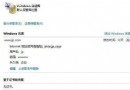
Win7/Vista 關機時若有未安裝更新,會強制詢問「安裝更新並關機」,耽誤急事。組策略可隱藏此提示:
gpedit.msc
設定後關機選單不再出現更新選項,已下載更新檔保留在系統目錄,下次進入系統可手動安裝。緊急關機不再被綁架,更新不會遺失。
Windows 7 硬碟安裝大全:從 XP、Vista、Win7 升級全攻略
Win7 系統備份出現 0x80070422 錯誤?啟動 Windows Backup 服務即可解決
Windows 7 滑鼠右鍵「新增」無「捷徑」選項?註冊表 ShellNew\Command 殘值修復法
Windows 7 善用「以前的版本」秒救誤刪檔案:啟用系統保護、建立還原點、還原資料夾/單一檔案
Win7 關閉自動安裝驅動程式:群組原則禁止未經核准裝置安裝
Win7 啟用錄音功能:開啟立體聲混音錄製系統內部音訊
Windows 7 滑鼠中鍵隱藏技巧:中鍵點擊工作列圖示快速開新視窗、中鍵點擊縮圖快速關閉視窗
微軟變革 Windows 7 研發流程:客戶主導、兼容優先