Windows XP Windows 7 Windows 2003 Windows Vista Windows 綜合教學 Linux 系統教學
Windows 10 Windows 8 Windows 2008 Windows NT Windows Server 電腦軟體教學

Win 7 找回資源回收筒圖示:個人化設定兩步驟,註冊表備用法

編輯:Windows 7 系統介紹

桌面不見資源回收筒圖示?兩大方法快速找回。

方法一:個人化設定 (標準、最簡單)

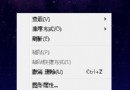
  1. 桌面空白處右鍵 →「個人化」。
  2. 左側點擊「更改桌面圖示」。
  3. 勾選 **「資源回收筒」** → 確定。

方法二:註冊表修復 (方法一無效時)

  1. Win+R → regedit。
  2. 定位:
    HKEY_CURRENT_USER\Software\Microsoft\Windows\CurrentVersion\Explorer\HideDesktopIcons\NewStartPanel
  3. 右側找到 {645FF040-5081-101B-9F08-00AA002F954E} (DWORD) → 雙擊修改數值為 0。
  4. 若無效,進入:
    HKEY_LOCAL_MACHINE\SOFTWARE\Microsoft\Windows\CurrentVersion\Explorer\Desktop\NameSpace
    右鍵新增項目 → 命名 {645FF040-5081-101B-9F08-00AA002F954E} → 雙擊預設值 → 數值資料輸入 Recycle Bin → 確定。

適用其他 Windows 版本

方法二同樣適用於 Vista/8/10,GUID 通用。

Copyright © Windows教程網 All Rights Reserved