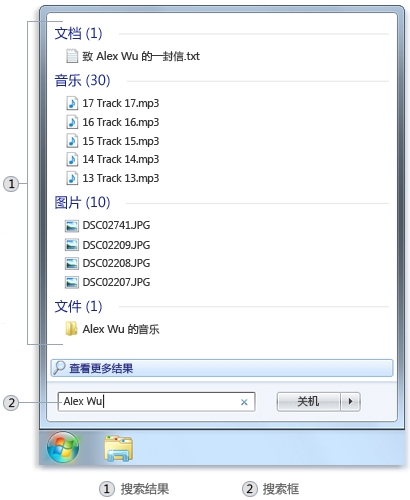
忘記檔案存放位置、檔名只記得幾個字?Win7 開始功能表搜尋框即時全文檢索:
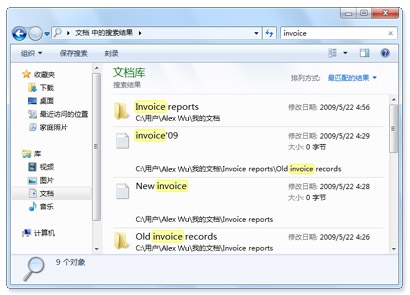
為何稱「萬用」? 不只搜檔名,文件內容、郵件本文 含關鍵字也會被找出。
進階用法:善用「程式庫」與「搜尋篩選器」,依檔案類型、修改日期、大小等屬性快速鎖定目標。
Windows 7 建立無線臨時網路(Ad-hoc)完整圖文教學
英文版 Win 7 安裝中文包後區域語言三步設定 解決亂碼與魔獸爭霸無法執行
Win7 開機黑畫面完整排查指南:兩大情況分類解決
Ghost Win7 純淨版寬帶連線正常但無法開網頁三大原因與解法
Win7 關閉 Aero Snap 自動最大化:控制台「滑鼠輕鬆存取」勾選防止視窗自動排列
Windows 7 系統減肥三招:開機優化、經典主題、視覺效能調校
Win7 TTF 字型檔雙擊打不開?註冊表修復 .ttf 關聯與 ttffile 類別定義
Win7 開機後硬碟燈狂閃無讀取聲?停用 Superfetch 與 ReadyBoost 服務即可解決