IE7 安全性較 IE6 大幅提升,但仍難免被莫名安裝外掛,佔用資源且存有風險。以下方法可快速停用所有外掛,讓 IE7 恢復乾淨。
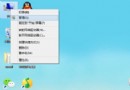
C:\Program Files\Internet Explorer
Iexplore.exe
-extoff
"C:\Program Files\Internet Explorer\Iexplore.exe" -extoff
參數 -extoff 前必須有一個空格,操作失敗請檢查空格是否遺漏。
微軟:苗條的 Windows 7 無需再瘦身,MinWin 核心僅 25MB/40MB RAM、啟動 20 秒、Vista 需 14GB
Windows 7 Milestone 1 Build 6519 首測:介面似 Vista、記憶體 480MB、Gadgets 整合、XPS Viewer 內建
Win7設定網卡速率限制網速?裝置管理員調整連線速度與雙工模式教學
Win7 刪除頑固 System Volume Information 資料夾:關閉系統還原+取得權限
Win7 忘記開機密碼怎麼辦?登錄檔啟用強制自動登入免重灌
暴力破解 Vista/Win 7 BitLocker 加密?Passware Kit Forensic 實測分析
Win7操作中心無法打開?一招教你快速修復
Win7 純淨版停用 USB 選擇性暫停:解決 USB 裝置斷線