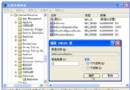
關機時系統等待服務正常停止的最長時間由 WaitToKillServiceTimeout 決定,預設 12000 毫秒(12 秒)。適度縮短可加快關機,但過短導致服務強制終止、資料遺失風險。
regedit。HKEY_LOCAL_MACHINE\SYSTEM\CurrentControlSet\Control| 數值(毫秒) | 等待秒數 | 風險評估 |
|---|---|---|
| 12000 | 12 秒 | 預設,最安全 |
| 8000 | 8 秒 | 平衡推薦 |
| 5000 | 5 秒 | 較激進,SSD+少量服務適用 |
| 3000 | 3 秒 | 最低建議,風險較高 |
| 0 | 0 秒 | 嚴禁,必造成服務資料損壞 |
用戶層面對應鍵值:HKEY_CURRENT_USER\Control Panel\Desktop\WaitToKillAppTimeout(預設 20000),可同步調整為 5000-8000,加速使用者程式關閉等待。