32 位元 Windows 7 預設僅支援約 3.2GB 記憶體。第三方工具 ReadyFor 4GB 可破解核心限制強制識別 4GB,但伴隨高風險。
操作步驟
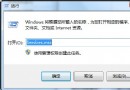
- 下載 ReadyFor 4GB,解壓後以系統管理員身分執行。
- 點選「檢查」→「套用」,工具顯示系統最大支援記憶體與目前容量。
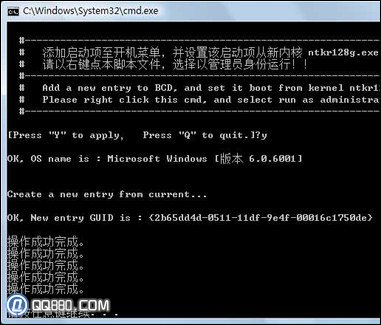
- 執行同目錄下
AddBootMenu,提示輸入 Y 確認,完成破解。
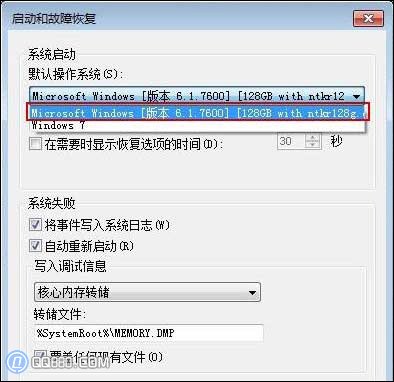
- 右鍵「電腦」→「內容」→「進階系統設定」→「啟動與故障修復」→「設定」→ 預設作業系統選擇新增的破解版啟動項。
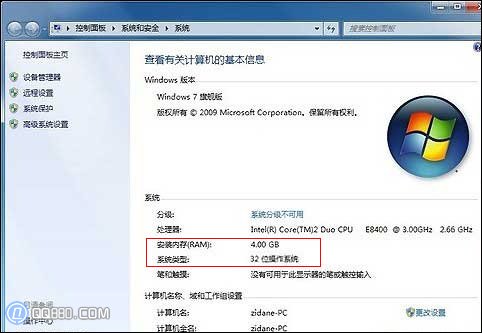
- 重開機,系統屬性顯示 4.00 GB 記憶體。
嚴重風險警示
- 破解修補核心檔案
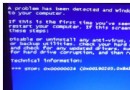
ntkrnlpa.exe,繞過授權檢查,導致系統不穩定、頻繁藍畫面、啟動異常。
- 舊版驅動程式(顯卡、主板晶片組)不支援 4GB 以上實體位址,極易衝突藍畫面。
- 官方不支援、不建議生產環境使用。若必須使用 4GB 以上記憶體,請改裝 64 位元 Windows 7。
僅供技術研究參考,生產環境強烈建議使用 64 位元作業系統。