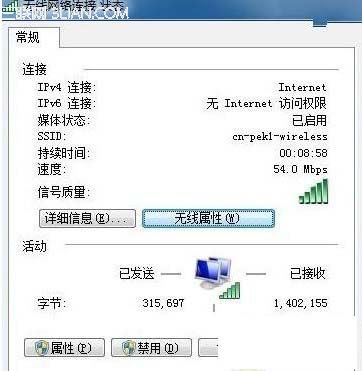
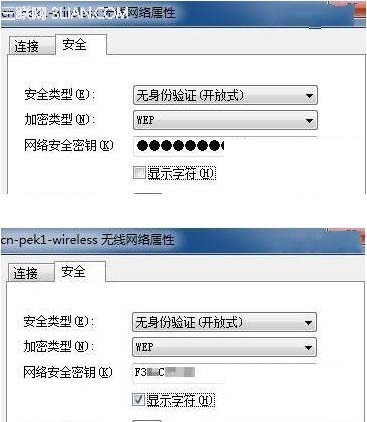
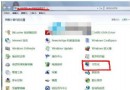
Win7 可直接在介面查看已連線無線網路密碼,XP 無此功能。
適用情境: 忘記自家 WiFi 密碼、需分享給訪客、手機重新連線。僅限「已連線過並儲存設定檔」的網路。未儲存的網路無法查看。
Win7 設定虛擬記憶體大小/移動位置/停用完整圖文教學
Win7 開機螢幕顯示「無訊號」?解析度過高與顯卡驅動故障雙重排查
Windows 7 SP1 無法解決的十大難題:從自滿情緒到雲端挑戰的深度剖析
Win7 設定控制台快速鍵:建立捷徑指定 Ctrl+Alt+組合鍵一鍵開啟
微軟全國搜羅 97 份盜版 Win7 測試:93% 存在潛在危險,39% 無法安裝或含毒
Win7 無法修改桌面狀態怎麼辦?
Win7 查看硬碟序號指令教學:diskpart 指令免安裝軟體快速取得
MacBook Air 使用 USB 隨身碟安裝 Windows 7 完整教學