錯誤 711 成因
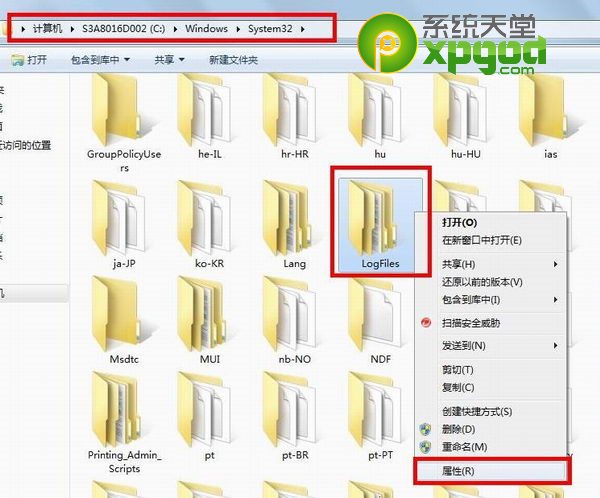
錯誤 711 通常因關鍵服務未啟動或 C:\Windows\System32\LogFiles 資料夾權限不足導致。
分步修復流程
- 右鍵
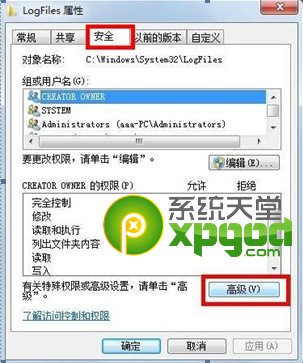
C:\Windows\System32\LogFiles → 「內容」 → 「安全性」 → 「進階」
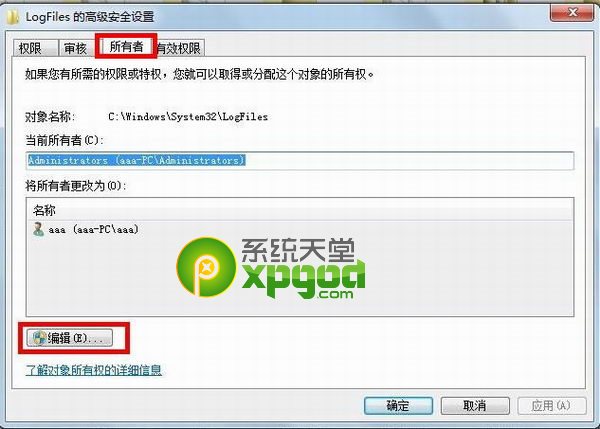
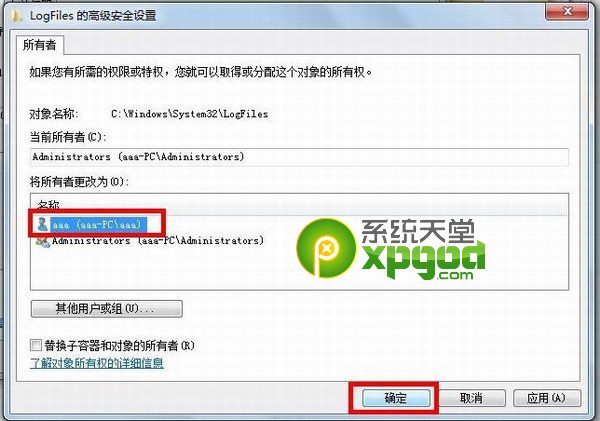
- 「擁有者」標籤 → 「編輯」 → 選擇目前使用者帳號 → 確定
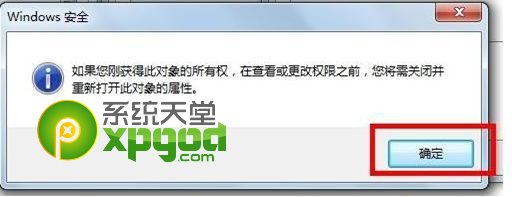
- 彈出視窗點選「確定」套用權限
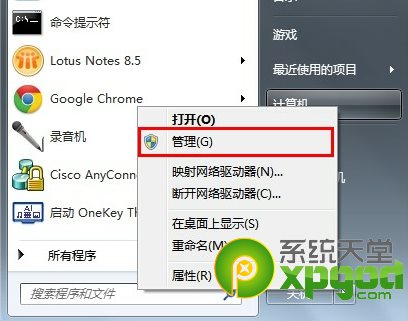
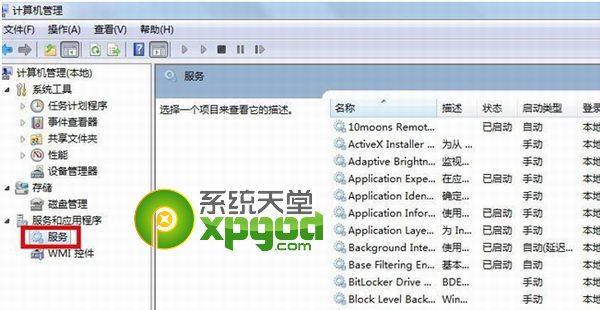
- 右鍵「電腦」 → 「管理」 → 「服務與應用程式」 → 「服務」
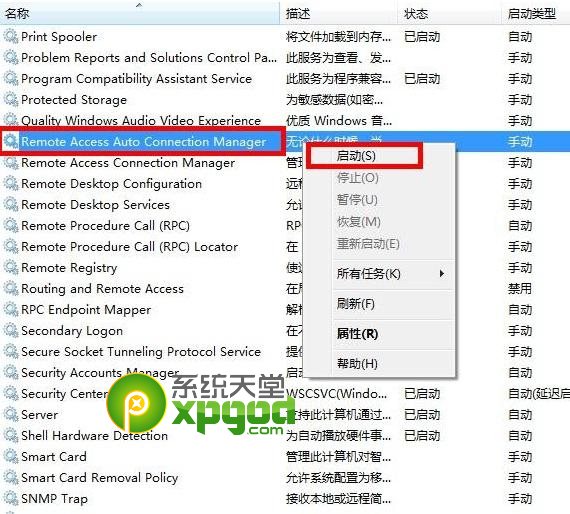
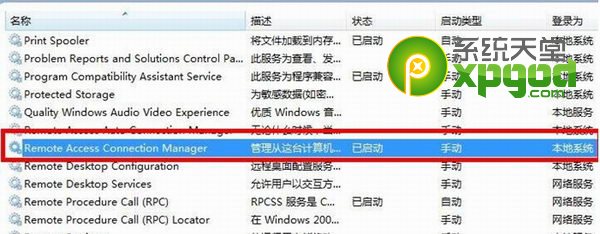
- 確認下列三項服務皆為「已啟動」(若未啟動請右鍵啟動):
- Remote Access Auto Connection Manager
- Remote Access Connection Manager
- Telephony
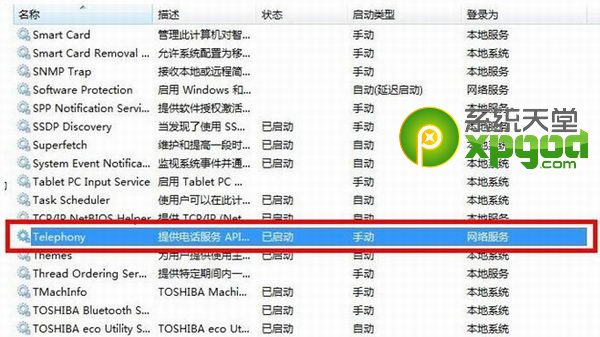
完成確認
取得 LogFiles 資料夾完整權限,且上述三項服務均啟動後,重新撥號即可解決錯誤 711。