C:\Program Files\Microsoft Office\Office14
Office15
cscript OSPP.VBS /dstatus
cscript ospp.vbs /unpkey:XXXXX
cscript ospp.vbs /inpkey:XXXXX-XXXXX-XXXXX-XXXXX-XXXXX
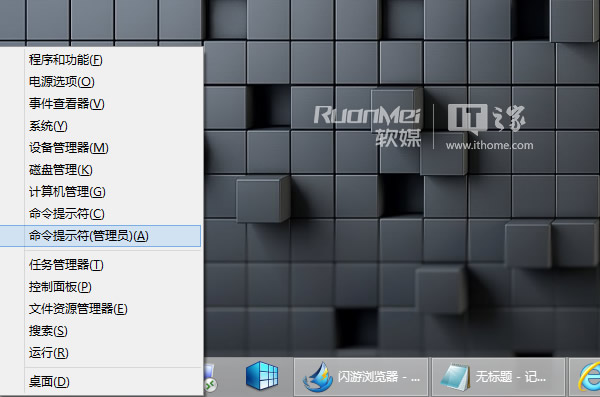
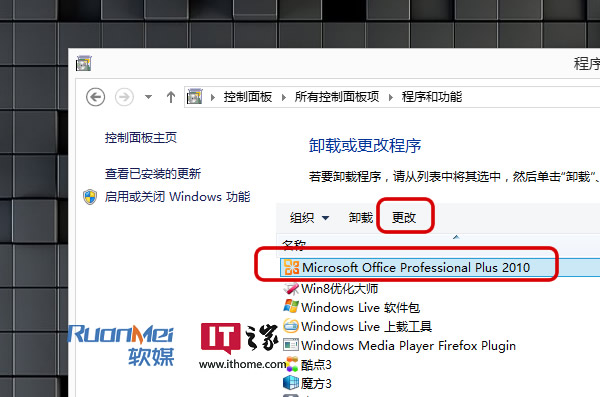
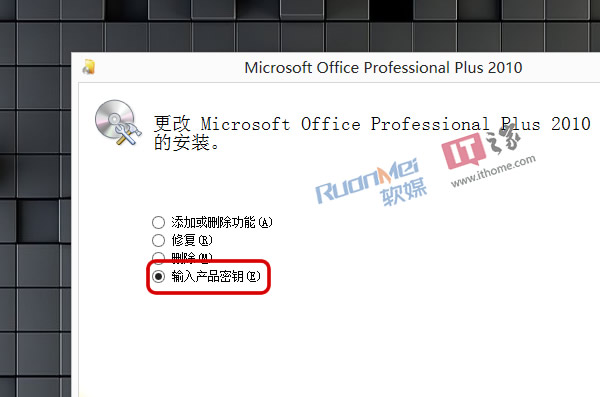
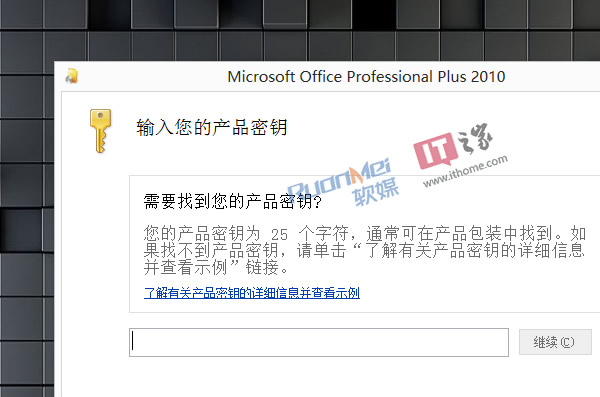
微軟 Office 安裝程式本身即內建金鑰變更功能,無需記憶指令參數,一分鐘搞定。
Windows 7 找回經典開始選單並套用 Aero 玻璃效果
Win7 清除資源管理器搜尋記錄:透過群組原則停用顯示
Win7「開啟或關閉 Windows 功能」顯示空白?兩招修復
Windows 7 玩網遊 Ping 高?關閉 MMCSS 多媒體排程服務即時降延遲
Win7 升級安裝輸入序號出現 0xC004F061 錯誤?註冊表修正 MediaBootInstall 解決
Win7 防止 IE8 首頁被竄改:註冊表三鍵值鎖定首頁設定
遠端桌面無法全螢幕、出現捲軸?連線前調整顯示設定為最大解析度
Win7 開機出現「硬體設定檔/配置恢復」選單?刪除多餘 Profile 還原單一啟動