明明沒裝 SP1,Windows Update 卻不顯示 SP1 更新?常見三大原因與對策:
原因一:殘留 SP1 RC (預覽版) 或已安裝正式版
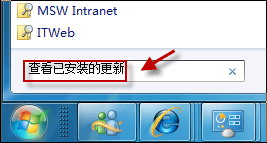
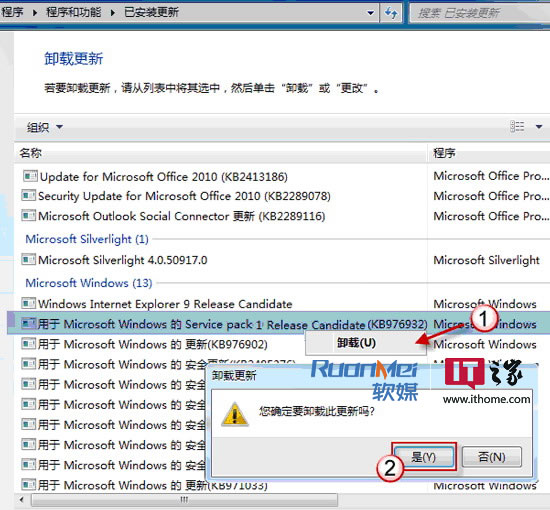
- 「控制台」→「程式和功能」→ 左側「檢視已安裝的更新」。
- 找到 Microsoft Windows 的 Service Pack (KB976932) → 右鍵「解除安裝」。
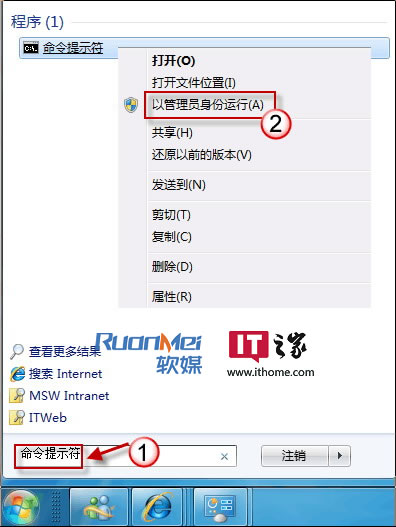
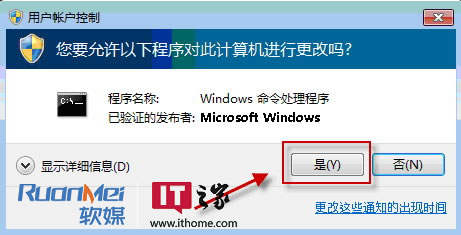
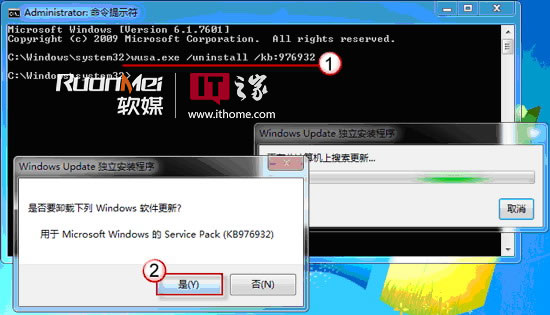
- 或管理員 CMD 執行:
wusa.exe /uninstall /kb:976932
原因二:缺少前置更新 KB976902
- Windows Update → 「檢查更新」→ 「線上檢查來自 Microsoft Update 的更新」。
- 展開「重要更新」→ 找到 KB976902 → 安裝 → 重開機 → 再次檢查更新,SP1 應出現。
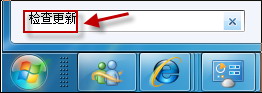
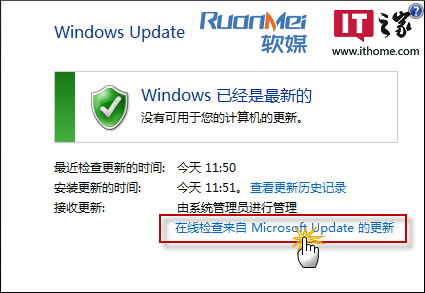
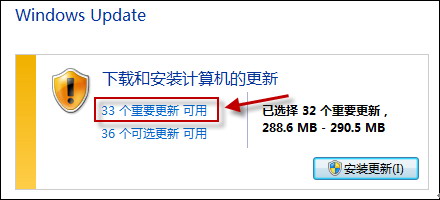
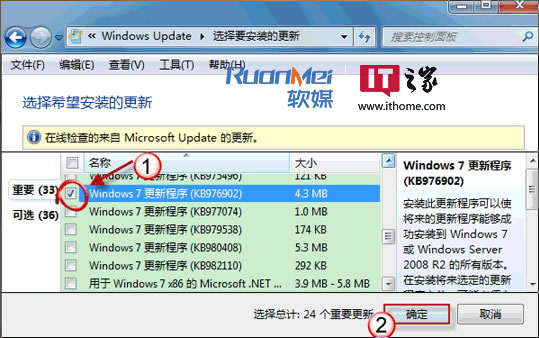
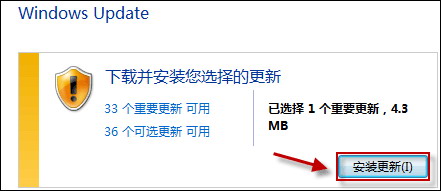
原因三:軟體/驅動程式衝突
- 應用程式類:如 SafeCentral 2.9.0.0 或舊版 需先更新該軟體。
- 驅動程式類:Intel 顯晶體驅動
Igdkmd32/64.sys 版本 8.15.10.2104~2141 會阻擋 KB2454826,進而隱藏 SP1。需更新顯卡驅動。
若以上皆試無效,建議直接從 Microsoft 下載中心下載 SP1 獨立安裝包 (約 900MB) 手動安裝,最省時可靠。