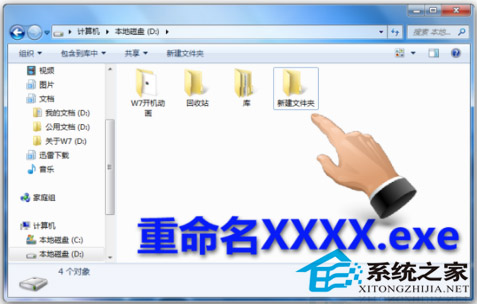
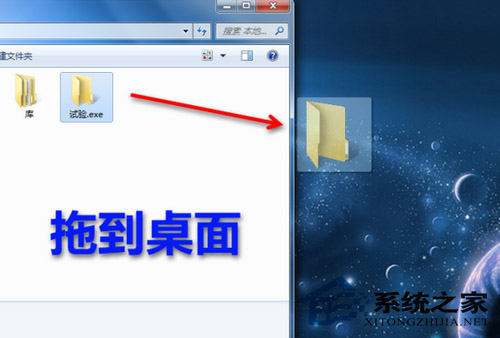
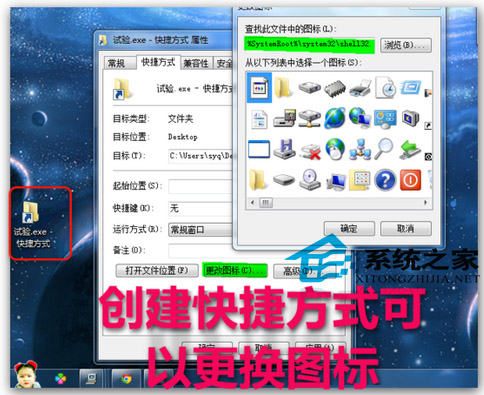
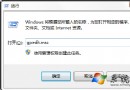
Win7 工作列預設僅支援釘選程式執行檔,透過「偽裝成 .exe」技巧可將資料夾釘選到工作列,並可自訂圖示。
XXXX.exe
C:\Windows\System32\shell32.dll
imageres.dll
無需第三方工具,巧用系統機制打造高效工作列動線。
Windows 8 應用商店分成機制揭曉:銷售額達 2.5 萬美元後抽成降至 20%
Windows 7 無法設定 Aero 主題解決方法
Win7 關機、重開機、待機、休眠命令大全:AutoHotkey 整合快速操作
Win7 開機跳「Windows 找不到檔案」?修復登錄 Manage 指令指向 mmc.exe 解決
Windows 7 快速預覽窗格啟用與熱鍵:Alt+P 一鍵開關
Win7 滑鼠右鍵選單美化:自訂背景圖片完整教學 (魔方美化大師)
安裝 Win7 提示「找不到硬碟驅動程式」?載入 SATA/RAID 驅動或改 BIOS 模式解決
Win7 C 槽 System Volume Information 資料夾刪除教學:病毒藏匿熱點清理