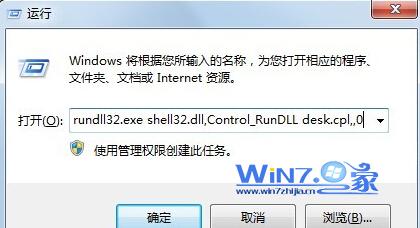
rundll32.exe shell32.dll,Control_RunDLL desk.cpl,,0
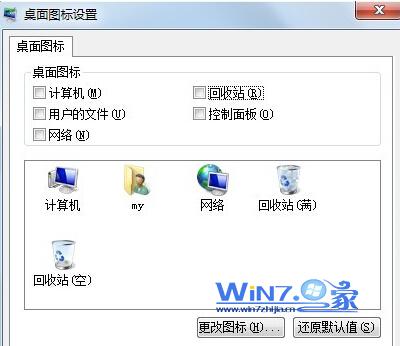
同樣執行上述指令,勾選「資源回收筒」確定即可恢復顯示。
Windows 7 家庭版/家庭進階版/專業版/旗艦版均適用。旗艦版亦可透過「個人化 → 變更桌面圖示」操作。
Windows 7 漫畫專輯(一):輕鬆學 Win7
Win7 快速啟動列消失/無法建立?六大修復方案徹底解決
Win7 選單顯示太慢?修改登錄 MenuShowDelay 為 0 瞬間彈出
Windows 7 系統服務核心觀念與優化指南
Win7 控制台找不到印表機選項?一鍵修復 Print Spooler 服務
安全考量:微軟將取消 XP/Vista/Win7 移動儲存裝置自動執行功能
Win8 IE10 相容性檢視修復網站顯示異常:F12 開發人員工具切換瀏覽模式
Win7 IE8 點擊網頁發出「咚」聲音?還原 Windows 預設聲音方案即可