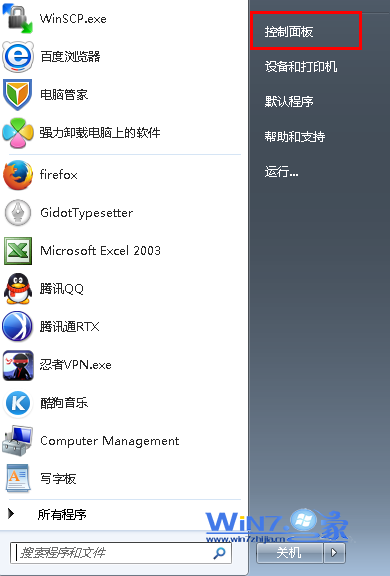
需在腳本、批次檔、遠端管理中關閉 Windows 7 防火牆?使用 netsh advfirewall 指令可在命令列完整控制防火牆狀態,支援公用/私人/網域三種設定檔獨立操作。
cmd → Ctrl+Shift+Enter (以系統管理員身分執行)。netsh advfirewall set allprofiles state off
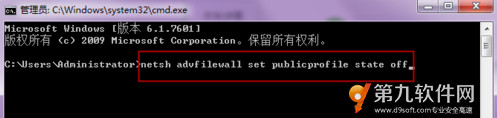
netsh advfirewall set publicprofile state off    # 公用網路
netsh advfirewall set privateprofile state off   # 私人/家庭/公司網路
netsh advfirewall set domainprofile state off    # 網域網路


netsh advfirewall show allprofiles
輸出中 State ON/OFF 顯示各設定檔啟用狀態。
netsh advfirewall set allprofiles state on
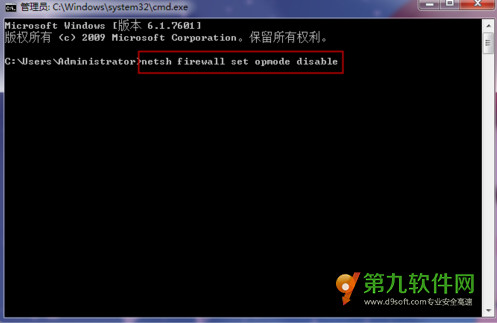
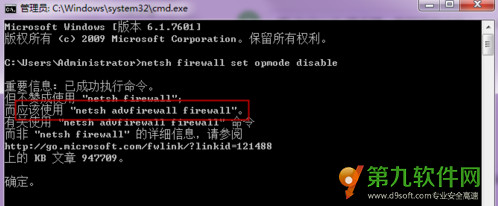
netsh firewall set opmode disable 為 Windows XP/Server 2003 時代指令,Win7 仍支援但會顯示「此指令已淘汰」警告,建議改用 netsh advfirewall。
@echo off
netsh advfirewall show allprofiles | find "State" | find "ON" >nul
if %errorlevel% equ 0 (
    netsh advfirewall set allprofiles state off
    echo 防火牆已關閉
) else (
    netsh advfirewall set allprofiles state on
    echo 防火牆已開啟
)
pause
以系統管理員身分執行即可切換狀態。