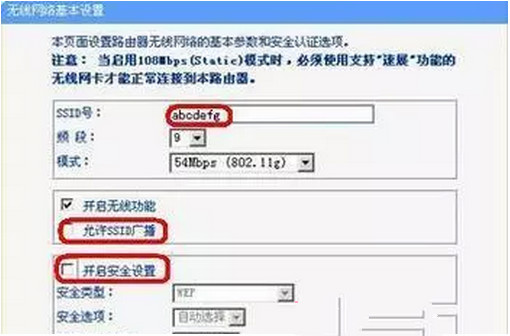
IEEE 802.11b/g 僅有 3 個不重疊頻道(1、6、11),鄰近無線網路若使用相同或相鄰頻道會造成干擾,導致連線不穩、速度下降。
建議使用手機 App(如 WiFi Analyzer)掃描周圍頻道佔用情況,選擇最乾淨的頻道。
首個 Windows 7 漏洞曝光 微軟 SDL 流程遭質疑
Win7 透過本地安全性原則禁止多使用者登入:限制 Guest/Users 本地登入權限
Win7 開機網路圖示一直轉圈解決方案(精簡版)
Windows 7 多點觸控 API 深度解析:縮放與平移手勢識別實作
Win7 如何關閉 UAC 使用者帳戶控制彈跳視窗
Win7 重裝系統後無法存取舊資料夾:取得所有權一鍵修復
Win7/Win8 關閉 Windows 10 免費升級提示的徹底解法
Win7 工作列輸入法圖示消失?三大原因與完整恢復教學