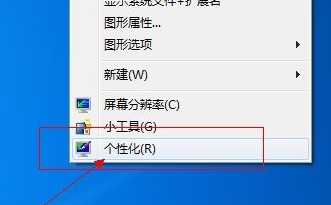
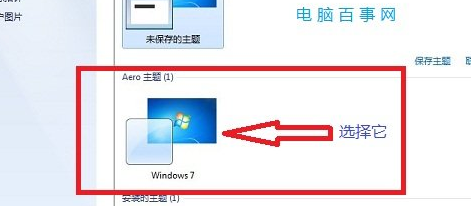
許多使用者為求效能關閉了 Aero 特效,但工作列透明化需要 Aero 支援。請先確認系統效能足夠並願意啟用。
若硬體不支援 Aero,可嘗試更新顯卡驅動或使用第三方工具模擬透明效果。
Windows 7 + IE9:GPU 硬體加速、釣魚網站防護、27 FPS 魚缸測試超越 Chrome
Win7「區域連線沒有有效的 IP 設定」完整排除指南
Windows 7 安裝 Telnet 用戶端與伺服器:控制台啟用 Windows 功能 + 服務啟用雙步驟
Windows 7 時代來臨:硬碟只分一區真的可行?
MacBook Air 使用 USB 隨身碟安裝 Windows 7 完整教學
Win7 透過停用 IE 附加元件提升瀏覽速度技巧
筆記本螢幕切換至外接顯示器教學:Win+P 快捷鍵與 Fn 組合鍵詳解
Win7 無線網路分享 (ICS) 完整設定:主機分享有線網路給從機無線上網