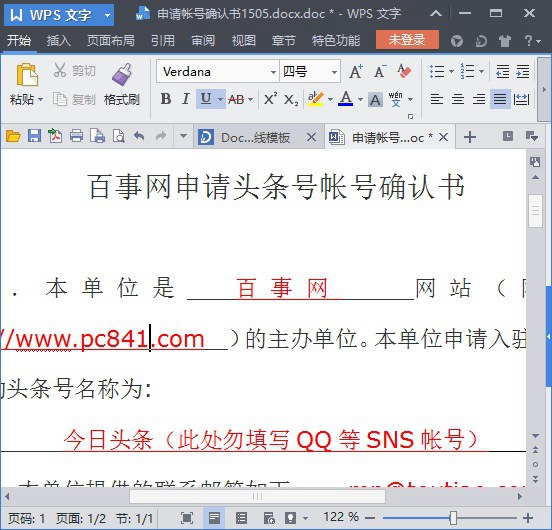
Win10 內建「書寫板」支援 .docx (Office 2007+ XML 格式) 但不支援舊版 .doc (Office 2003 二進位格式),開啟顯示亂碼。安裝輕量級 WPS Office (約 50MB) 即可完美開啟 .doc/.docx,免裝龐大 Office 套裝。
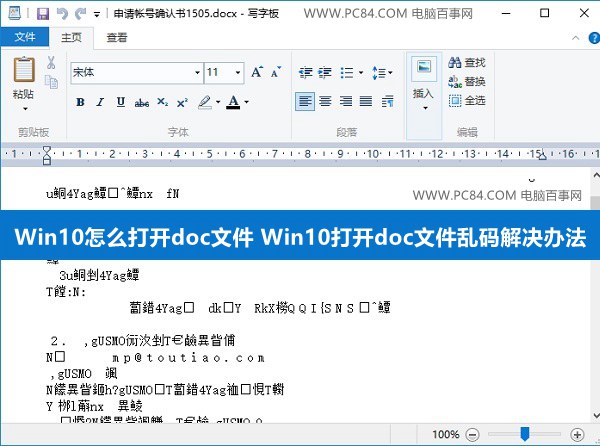
原因分析
- .docx = Office 2007+ 新格式 (XML+ZIP),書寫板支援
- .doc = Office 97-2003 舊格式 (二進位),書寫板不支援
解決方案:安裝 WPS Office
- 下載 WPS Office 2013/2019 (官網/可信來源)
- 安裝完成
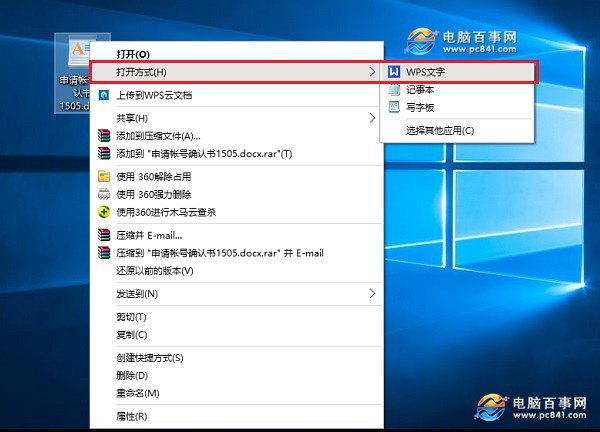
- 右鍵 .doc 檔案 → 「開啟方式」 → 選擇「WPS 文字」 → 勾選「永遠使用此應用程式開啟 .doc 檔案」

優勢
- 體積小 (約 50MB vs Office 數 GB)
- 相容 .doc/.docx/.xls/.xlsx/.ppt/.pptx
- 介面習慣接近 Office
- 免費個人版功能完整
替代方案
需完整 Office 功能 (巨集、VBA、企業級相容) 請安裝正版 Microsoft Office。