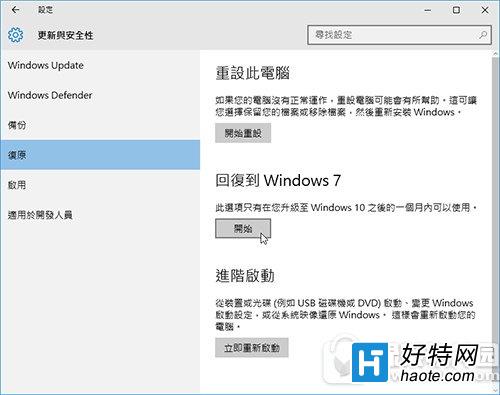
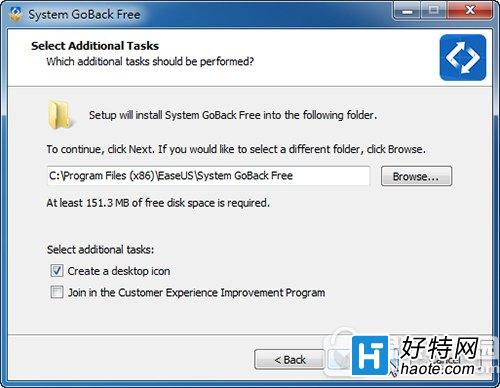
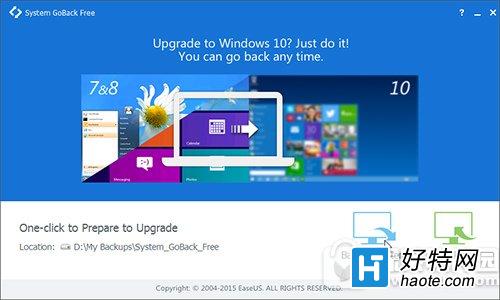
Win10 內建還原功能僅支援 30 天內回復舊系統。超過期限需提前在 Win7/8.1 環境安裝 System GoBack Free 備份系統映像:
此工具突破 30 天限制,提供更靈活的系統回復保障。
Win10 Edge開發平台將迎大波更新:CSS偽類、表單元素、WebRTC等
Win10 關閉鎖定畫面直接進入登入畫面:群組原則設定
Win10 瀏覽器字型亂碼解決方法
Windows 10 如何查看網路連線詳細資訊?IP、閘道、DNS、MAC 一鍵檢視
Win10 預覽版調整解析度:設定 → 系統 → 顯示 三步驟
Win10 設定螢幕保護程式教學:重溫經典 3D 管道動畫
Win10 恢復觸控版 IE11:PowerShell 腳本啟用被隱藏的 Modern IE 體驗
Win10 預覽版無法直接解除安裝?只能重裝舊系統覆蓋