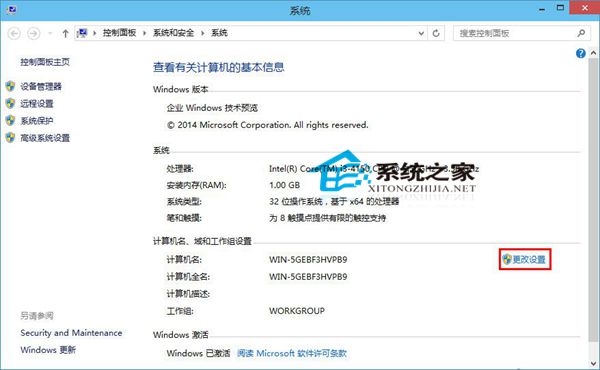
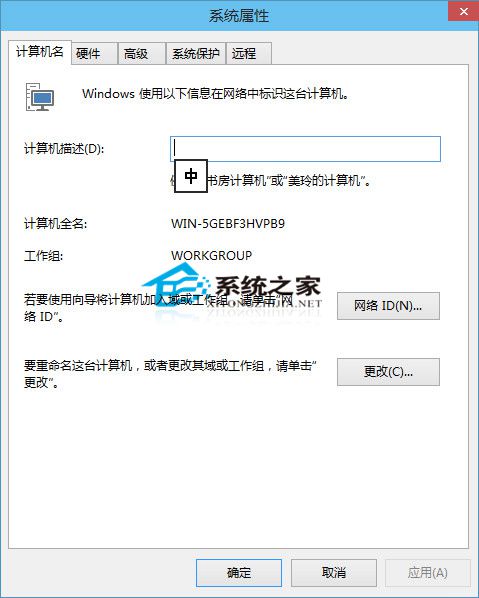
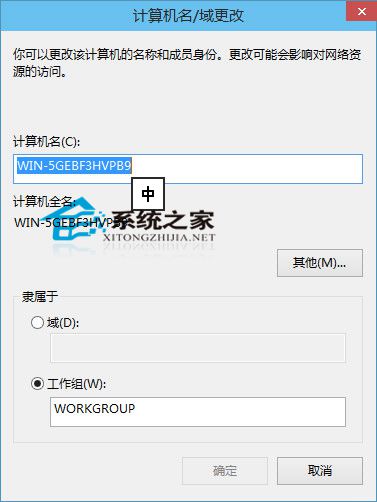
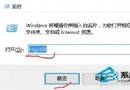
Win10 可自訂電腦名稱,不僅方便網路辨識,Office 文件的「作者」欄位也會自動帶入電腦名稱,提升專業度。
重新開機後,新建 Word/Excel 文件的作者欄位即會顯示新名稱。
Win10 隱私權設定完整指南:一般、位置、相機、麥克風、語音、帳戶資訊逐項控制
升級 Win10 報 0xc0000017 記憶體不足?清除 BCD 壞記憶體標記
Win10 各版本免費啟用金鑰分享
Win10 使用 Windows Defender 建立離線殺毒 USB/光碟
Win10 禁止 TeamViewer 開機自動啟動:選項取消勾選隨 Windows 啟動
Win10 必須重開機兩次才能進入桌面?三大排查法:重啟 Explorer、安全模式、系統修復指令
Win10 開機藍畫面錯誤 0x0000001E 解決:msconfig 清理啟動項與非 Microsoft 服務
Windows 10 檔案總管主頁空白無內容修復教學 (註冊表修正)