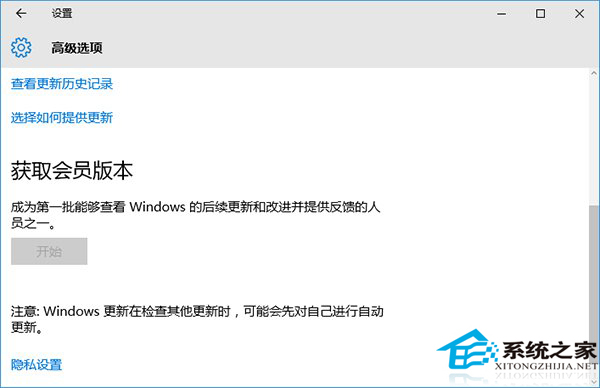
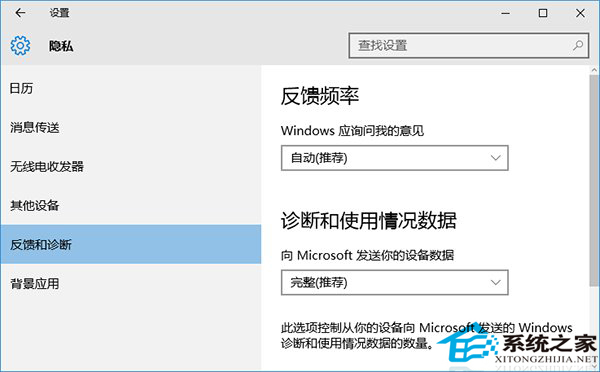
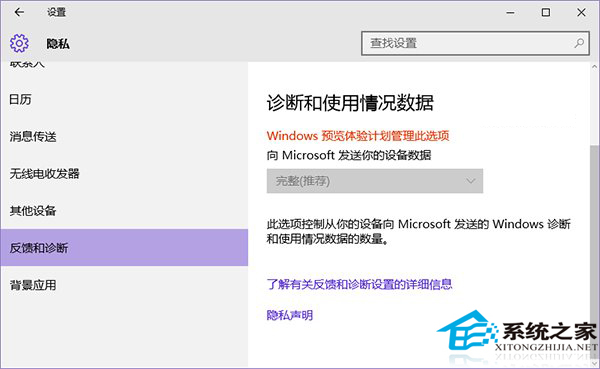
Win10 設定中「取得 Insider Preview 組建」按鈕呈灰色不可用,原因:隱私權設定「診斷與回饋」未設為「完整 (建議)」。Insider 計劃要求參與者提供完整診斷資料供微軟分析。
注意: 升級為預覽版後,「診斷與回饋」將自動鎖定為「完整」且無法更改。若隱私權顾虑較重,建議不參與 Insider 計劃,使用正式版通道。
Win10 檔案總管導覽列隱藏 USB 裝置:登錄表重命名 DelegateFolders 項目前綴「-」隱藏 U 盤圖示
Win10 網頁突然放大/縮小:鍵盤滑鼠快捷鍵快速調整
Win10 新增與移除輸入法步驟
Microsoft Edge 瀏覽器深度體驗:能否成功取代 IE 成為新一代主流?
Win10 虛擬桌面實戰教學:建立、切換、移動視窗、關閉全圖文詳解
Win 10 執行舊遊戲出錯?三招解決:相容模式、啟用 DirectPlay、登錄表調高鍵盤速度
Win10 取消 Proxy 代理伺服器設定:Internet 選項圖文教學
Win10 Edge 瀏覽器安裝路徑在哪?C:\Windows\SystemApps\Microsoft.MicrosoftEdge_8wekyb3d8bbwe (系統內建 App 不在 Program Files)