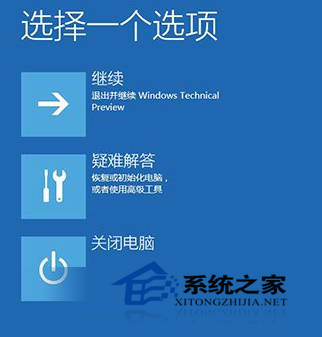
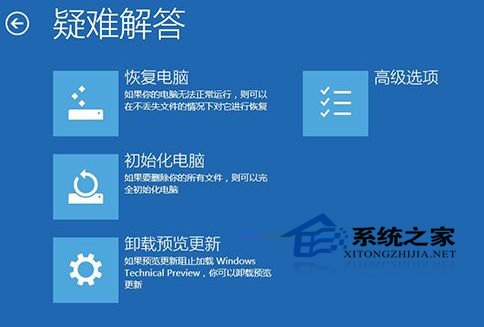
安裝更新後系統頻繁崩潰、應用不相容,可用微軟提供的「卸載預覽更新」功能:
遇更新後崩潰/不相容,首選此功能卸載問題更新,避免重裝系統。
Win10 安裝軟體彈出 UAC 提示?拉低使用者帳戶控制或關閉 UAC
Windows 10 查看電腦配置(CPU、記憶體、顯卡)兩大內建方法
Win10 雙系統下如何將 Mac 設為預設啟動系統?
Win10 開啟資料夾選項兩種快速方法
Win10 Edge 瀏覽器新增 HTML5 影片播放控制:支援倍速、靜音、存檔
Win10 應用商店入口在哪?兩種開啟方式:開始選單所有應用找 Y 字母、或任務列搜尋「應用商店」
Win10通用版微博真機演示曝光:自適應窗口、優先推PC測試版
Win10 開機彈出 JS 腳本錯誤?多半是中毒,建議全盤掃毒並檢查啟動項