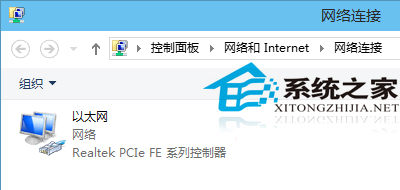
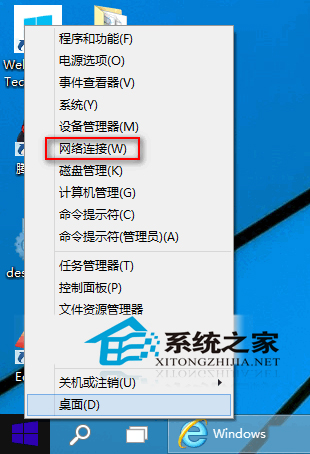
「網路連線」介面 (ncpa.cpl) 是管理網路介面卡、IP 設定、橋接等進階網路操作的入口。
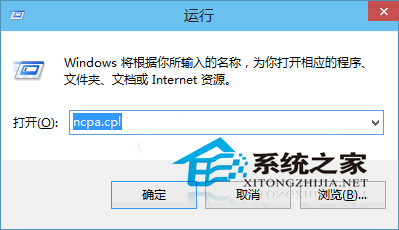
Win+R → 輸入 ncpa.cpl → Enter,直接開啟網路連線視窗。
ncpa.cpl
此介面為傳統控制台風格,功能比設定 App 更完整,適合進階網路配置(靜態 IP、DNS、橋接、共用等)。
Windows 10 桌面建立寬頻撥號捷徑快速連線教學
Win10 TH2 更新 KB3124263 失敗?關閉第三方殺毒或乾淨啟動
Win10 禁止背景應用程式執行:隱私設定一鍵關閉後台進程
Win10 更換產品金鑰:控制台→新增功能輸入新金鑰升級版本
Windows 10 開始選單不見了?教您透過工作列屬性找回傳統開始選單
Windows 10 變更開始選單背景顏色與色彩濃度個人化教學
Windows 10 修改視窗標題列顏色:建立自訂主題檔案法 (傳統 Aero 遺產)
Win10 更新 TH2 後反覆藍屏修復:SFC/DISM 掃描確認 opencl.dll 損壞 → SFCFix 專用工具修復