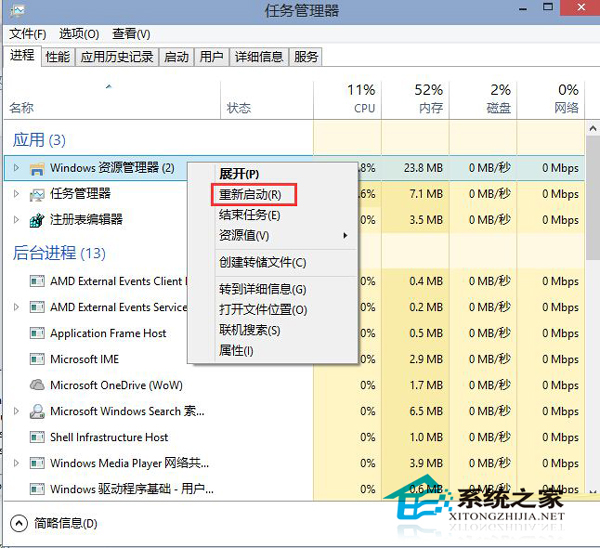
Win10 任務管理器介面重設計,進程名稱本地化:原本的 explorer.exe 現顯示為「資源管理器」。
explorer.exe
若桌面圖示、工作列消失,重新啟動「資源管理器」通常能修復。探索更多任務管理器新功能請見相關教學。
Win10 升級後硬碟消失?PUIS 電源管理功能衝突解析與指令修復
Win7 電腦管家一鍵修復 QQ 無法安裝問題
Win10 啟用與關閉內建管理員帳戶完整教學
Win 10 登入畫面關閉密碼「顯示字元」眼睛圖示,防止旁人側錄
升級 Win10 後沒聲音?四大主流解決方案一次看懂
Win10 記事本未回應怎麼救回未儲存內容?開啟同進程第二視窗複製文字
Windows 10 安裝百度「小度 WiFi」:驅動安裝與熱點分享完整教學
Win10 使用 PowerShell 一鍵批量移除預裝應用程式