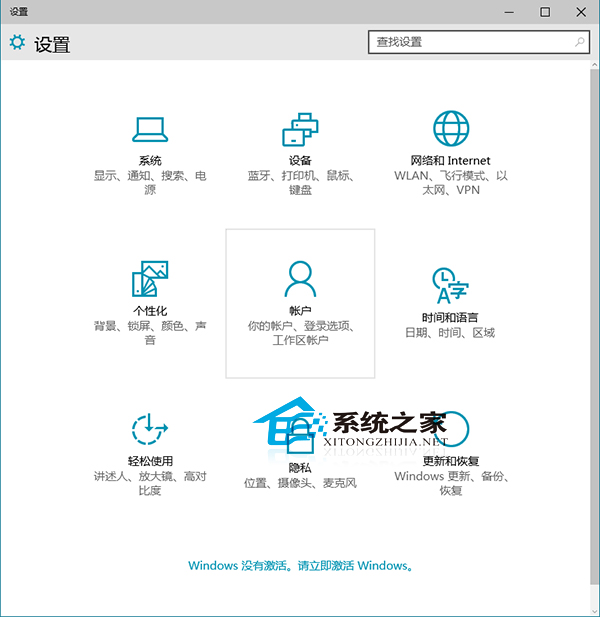
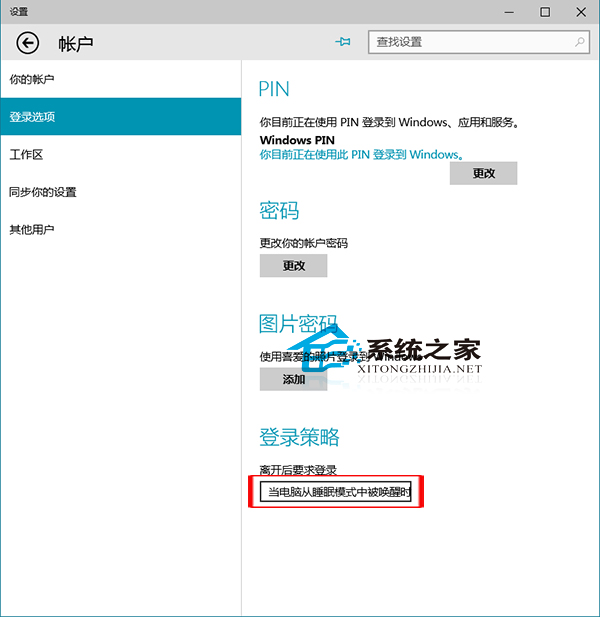
電腦進入睡眠後喚醒需登入,保護資料安全。Windows 10 如何設定?
完成後可再設定登入密碼,防止他人隨意使用電腦。
Win10 家庭版升級專業版(通用金鑰 VK7JG-NPHTM-C97JM-9MPGT-3V66T)
Win10 更新卡在 0%?C 槽空間不足?兩招輕鬆解決
Windows 10 開啟「數學輸入面板」:手寫數學公式一鍵轉 MathML/LaTeX
Win10 彩色主題下標題列變白色?註冊表一鍵修改技巧
Win10 徹底關閉動作中心:註冊表 DisableNotificationCenter=1 一鍵禁用彈出通知
Win10 Edge 瀏覽器相容模式在哪?右上角選單「以 Internet Explorer 開啟」一鍵切換
Win10 移除應用程式商店內建應用程式方法
Win10 以相容模式執行舊程式(右鍵內容→相容性標籤)