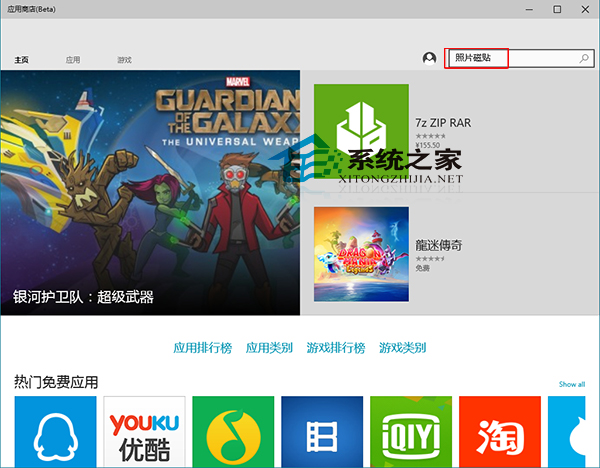
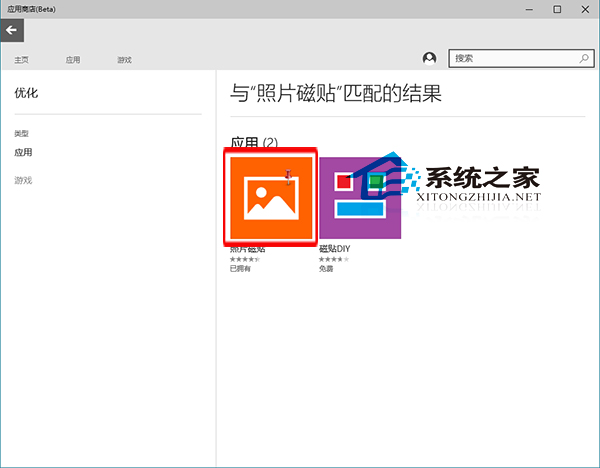
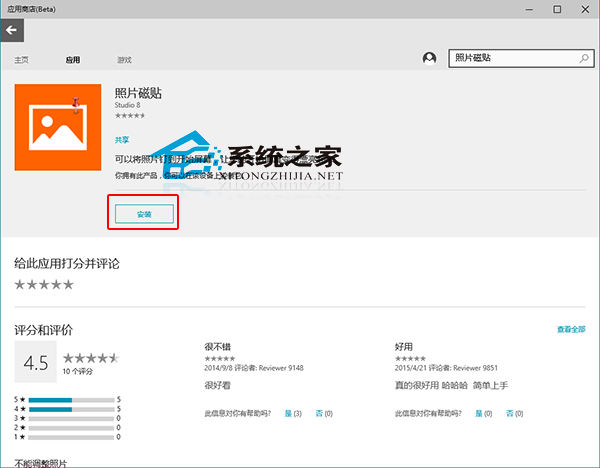
誤刪 Microsoft Store 應用程式 (UWP App) 後,可直接在商店搜尋重新安裝,無需重新購買 (已購買/免費應用)。
補充: 若 Microsoft Store 本身無法開啟/閃退,可參考《Win10 解決應用程式商店無法開啟/閃退:wsreset 指令》修復商店後再重裝應用程式。
Win10 如何啟用 SSD 固態硬碟 TRIM 指令?fsutil 查詢與開啟完整教學
Win7/Win8.1 升級 Win10 後重裝免金鑰:Gabriel Aul 確認裝置數位授權永久有效
升級 Win10 後提示「未安裝音訊輸出裝置」怎麼辦?變更預設裝置、回滾驅動、驅動精靈智能安裝
Windows 10 系統還原功能修復系統故障完整教學
Win10 內建「疑難排解」自動修復系統故障:音訊、網路、裝置一鍵診斷
Win10 安裝 Visual Studio 2015 失敗?避開兩大雷區:勿自裝運行庫、勿移除內建應用
微軟原裝Win10 U盤版開箱圖賞:包裝設計帥氣
Win10 Office 安全模式啟動完整教學 兩種方法任選