Win10 更新 10049 出現錯誤 0x8020002e,Microsoft 官方分析主因系統時間偏差導致驗證失敗。
解決步驟
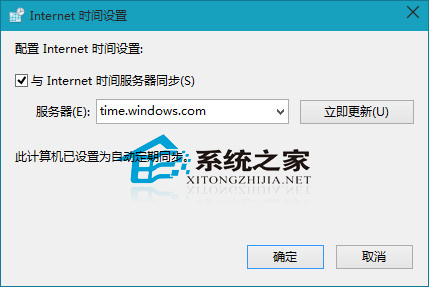
- 同步系統時間:
「設定」→「時間與語言」→「日期與時間」→ 開啟 「自動設定時間」 與 「自動設定時區」 → 點擊 「同步處理」 按鈕 (需網路連線)。
- 避開網路尖峰時段重試:
時間同步後仍失敗,建議在深夜/清晨網路較暢順時段再次「檢查更新」。
- 最終方案:下載 ISO 全新安裝:
若仍無法更新,下載 Win10 10049 ISO 製作啟動媒體全新安裝體驗。
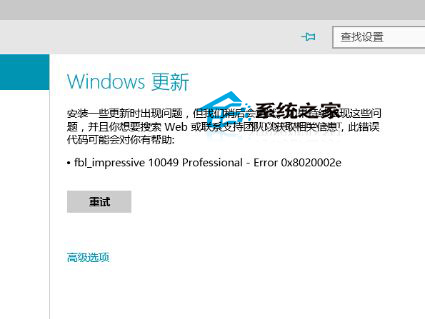
時間同步是 Windows Update 正常運作的基礎條件 (憑證驗證、簽章檢查皆依賴正確時間)。