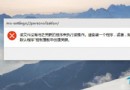
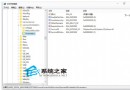
Win10 更新至 10061 出現 fbl_impressive Professional 10061 - Error 0x80070005,主因權限不足或系統檔案損壞。
解決方案
- 建立新系統管理員帳戶升級:
「設定」→「帳戶」→「家庭與其他使用者」→「將其他人新增至這台電腦」→ 選擇「我沒有這個人的登入資訊」→「新增沒有 Microsoft 帳戶的使用者」→ 設定帳戶名/密碼 → 將帳戶類型改為「系統管理員」 → 登入新帳戶執行 Windows Update 升級。
- 若仍失敗:備份資料後全新安裝:
下載 Windows 10 10061 ISO → 製作啟動媒體 → 全新安裝 (自訂:僅安裝 Windows (進階) → 格式化系統分區)。

新建帳戶時務必設為「系統管理員」權限。預覽版升級錯誤多樣,全新安裝往往最乾淨穩定。